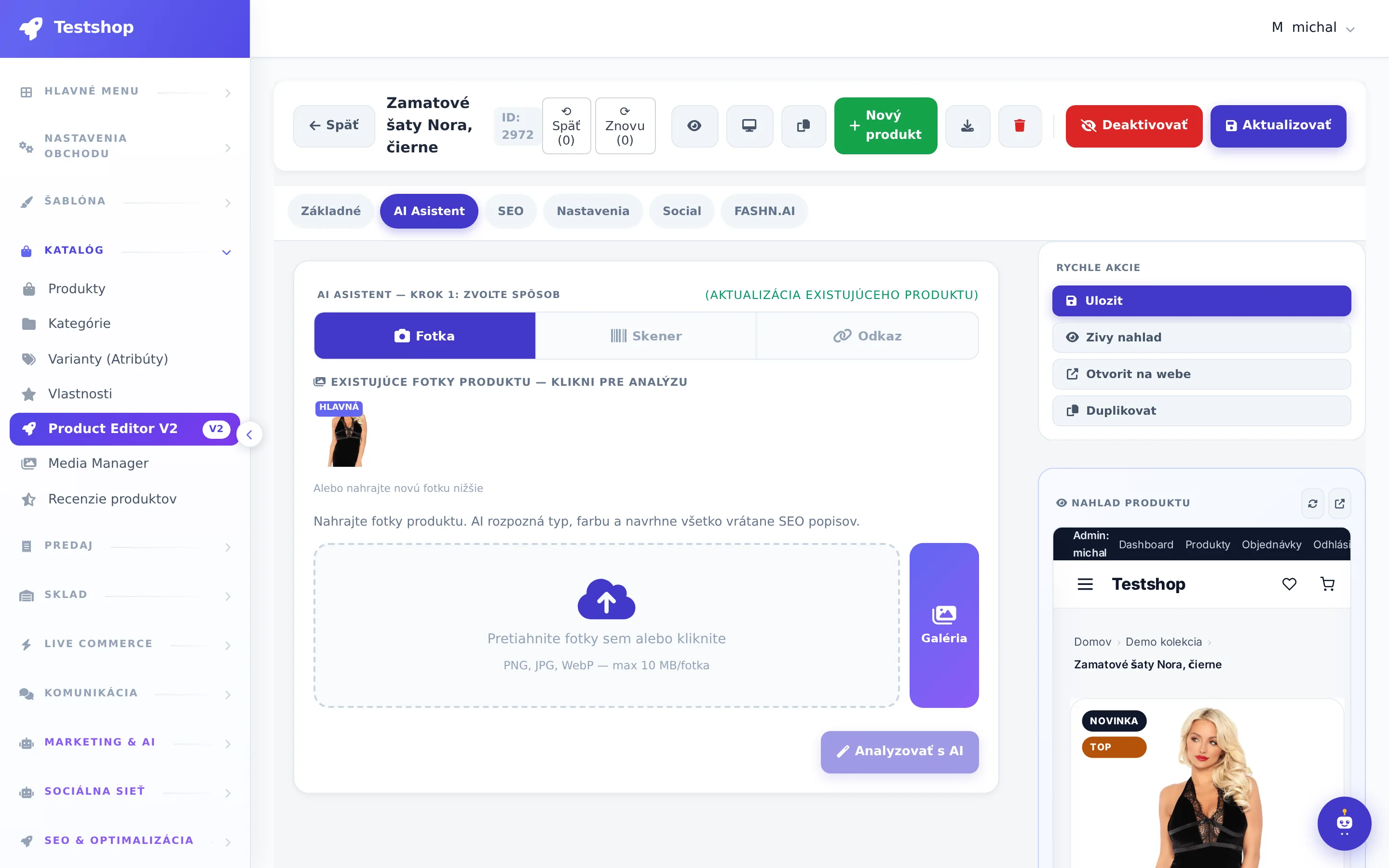
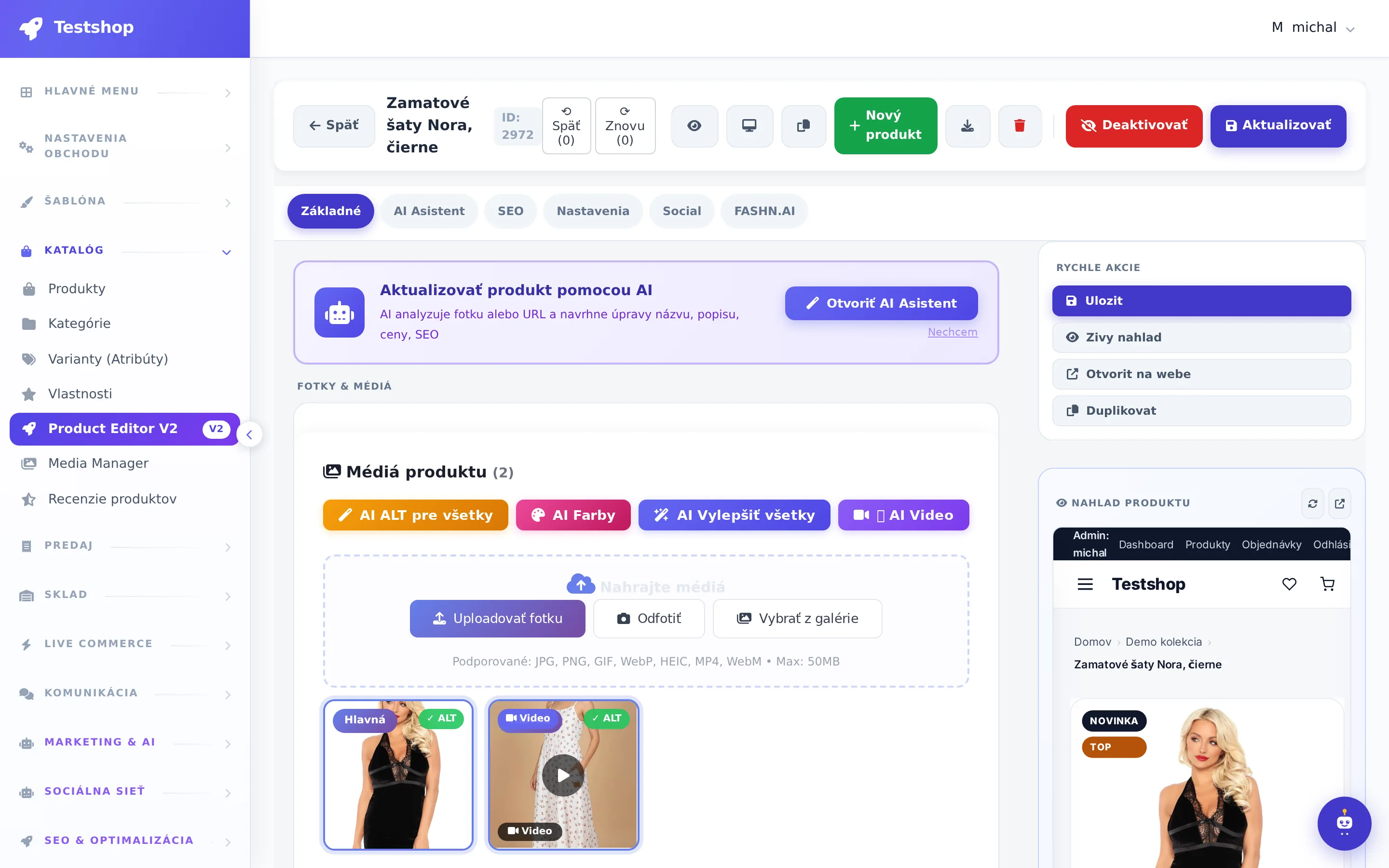
One screen to complete your product. Even from mobile.
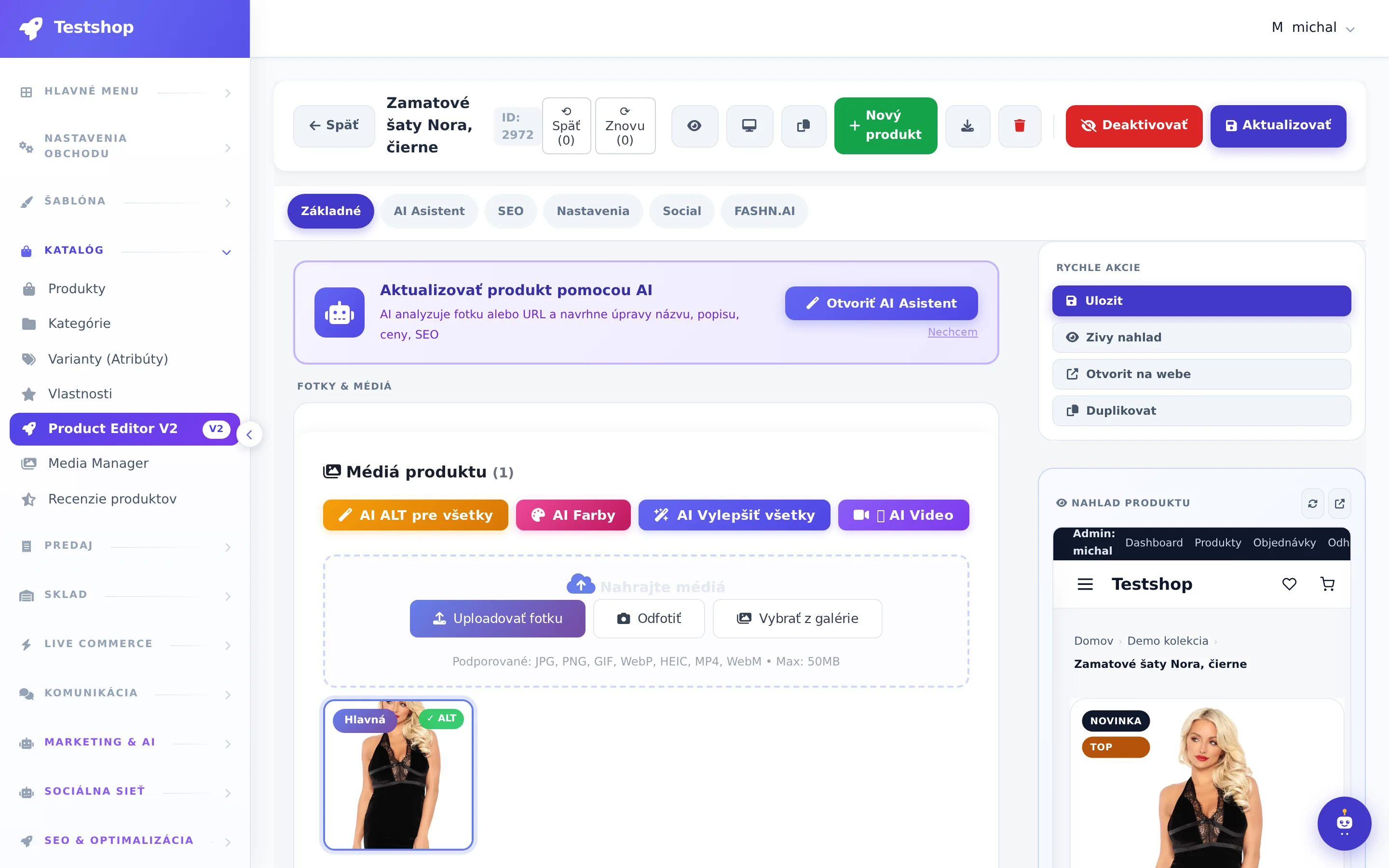
The V2 product editor combines everything essential into one mega tab: media, AI analysis, information, price, inventory, variants, live codes and description. Other tabs address SEO, social networks, FASHN.AI, AI assistant and videos. Health score shows what is missing, live preview shows how the customer will see it.
Media · AI Analysis · Info · Price · Stock · Variants · Live Codes · Description
Everything you need to publish, under you on one page. Upload photos, take them with your camera or download them from a URL, set the main photo with a click. Variants in a grid, stocks per variant, codes for orders from comments with a live sales toggle.
Live product code and activation for live
Variant grid with stock
Import from Facebook post (banner)
NexusShop
Actual NexusShop administration screen
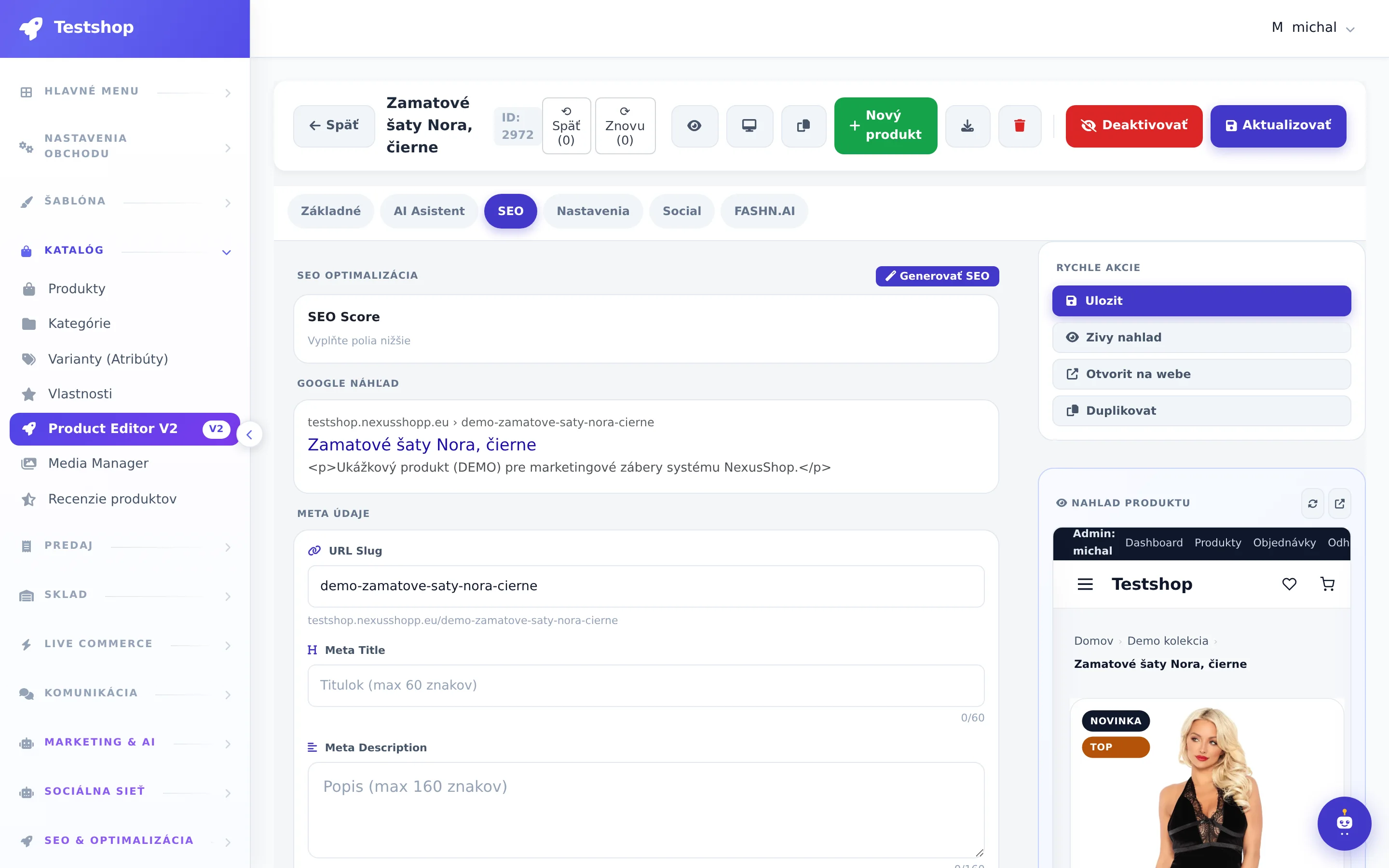
SEO title, meta, URL, AI generation
SEO fields with AI generation based on prompts that you edit in the Prompty editor (long description, keywords, meta description, tags, alt texts).
AI SEO generation
Custom prompts
Check meta length
NexusShop
Actual NexusShop administration screen
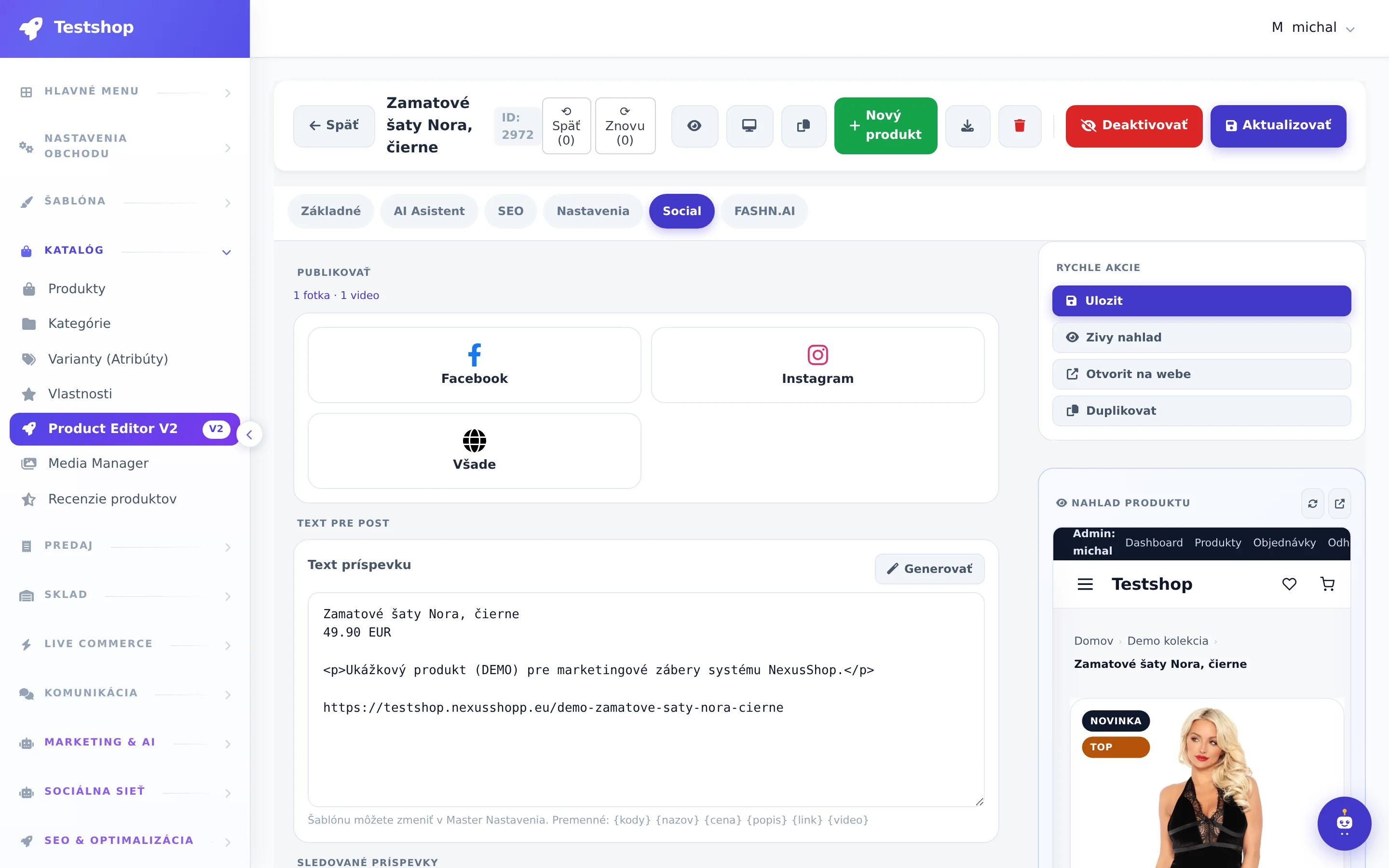
FB/IG posts and auto publishing
From the product card, you can prepare a post for Facebook and Instagram, turning on auto-publishing when the stock or price changes.
Product post
Auto-publish
Product post history
NexusShop
Actual NexusShop administration screen
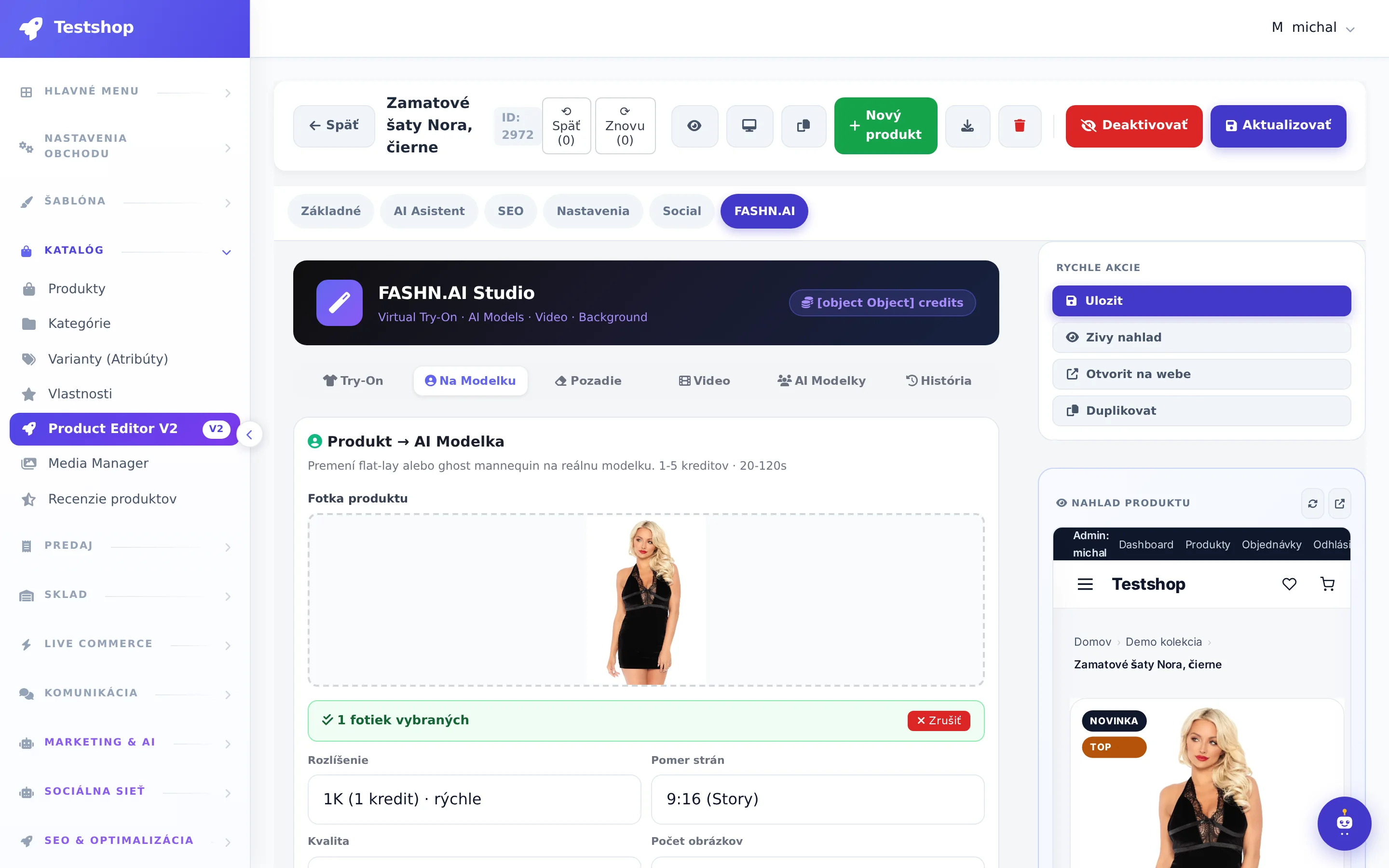
Fashion Studio, 6 sub-tabs
Virtual try-on, AI models, editing, background removal, photo → video, library and history.
Try-on and AI models
Credits visible in the studio
Go straight to the product gallery
NexusShop
Actual NexusShop administration screen
Product analysis and improvement suggestions
AI will go through the product, suggest additions and texts. Contextual help for each field.
Suggestions for improvements
Contextual help
Quick fill in the missing part
NexusShop
Actual NexusShop administration screen
Stream clips and custom videos
Clips created from your broadcasts will appear next to the product. You set the main video, delete it, upload your own. The customer sees it on the product card.
Automatic clips from live
Main product video
Custom upload
NexusShop
Actual NexusShop administration screen
Controls and tools
Health score and live preview
Card completion percentage and list of what's missing. A live preview of the product page on wide screens is pinned next to the form.
You see what to add.
Preview without saving
Sticky panel on a wide monitor
NexusShop
Health score and live preview
You see what to add.OK
Preview without savingauto
Sticky panel on a wide monitorlive
Mobile
Bottom navigation and slide-out panel for the phone. You take a photo directly from the editor and create a product from the warehouse or from the store.
Camera in the editor
Bottom bar
Panel bottom sheet
NexusShop
Mobile
Camera in the editorOK
Bottom barauto
Panel bottom sheetlive
Catalog around
Products with bulk actions and duplication, categories with editor, variants (attributes), properties, Media Manager, reviews with moderation.
Praktický hodinový plán, ako z prázdneho účtu NexusShop za jeden deň poskladáte funkčný e-shop s katalógom, platbami, skladom aj prvým live predajom. Bez programátora a bez zbytočného čakania.
Zistite, čo všetko zahŕňa tvorba a prenájom eshopu v NexusShop a ako obchod rozbehnúť bez programátora. Praktický postup od témy cez produkty až po prvú objednávku.
A practical guide on how to build your own e-shop, orders, warehouse and invoices as a live seller without a programmer and without rewriting comments. We'll go through five steps and a simple plan for the first week.
Try the editor on your own product
The trial version has both the V2 editor and FASHN.AI studio unlocked.
Editor produktov V2 je nástroj NexusShop, ktorý spája všetko potrebné na dokončenie produktu na jednej obrazovke. V jednom mega tabe nájdete médiá, AI analýzu, informácie, cenu, zásoby, varianty, kódy pre live predaj a popis. Funguje aj z mobilu a ďalšie taby riešia SEO, sociálne siete, videá a AI asistenta.
Čo je health score a živý náhľad v editore produktov?
Health score je percento kompletnosti karty produktu so zoznamom položiek, ktoré ešte chýbajú. Živý náhľad zároveň ukazuje, ako stránku produktu uvidí zákazník. Na širokom monitore je náhľad pripnutý vedľa formulára, takže zmeny sledujete priebežne. Na telefóne editor ponúka spodnú navigáciu a vysúvací panel.
Akými spôsobmi môžem do editora nahrať fotky produktu?
Fotky môžete nahrať tromi spôsobmi: uploadom súboru, odfotením priamo kamerou z editora alebo stiahnutím z URL. Hlavnú fotku produktu nastavíte jedným klikom. Produkt môžete založiť aj zo skladu alebo z predajne, čo je praktické pri práci z mobilu.
Ako funguje live kód produktu a predaj z komentárov?
Live kód produktu slúži na objednávky z komentárov počas live predaja, pričom ho zapnete prepínačom live predaja priamo v editore. Kódy nájdete v tom istom mega tabe ako cenu, zásoby a varianty. Varianty sa upravujú v mriežke a zásoby sa vedú osobitne pre každý variant.
Aké AI funkcie obsahuje Editor produktov V2?
Editor obsahuje AI analýzu produktu, ktorá navrhne doplnenia a texty, a kontextovú pomoc pri každom poli. SEO polia sa generujú podľa promptov, ktoré si upravíte v Prompty editore. Štúdio FASHN.AI ponúka virtuálne skúšanie, AI modelky, odstránenie pozadia a premenu fotky na video.