How to start selling via Facebook Live in one afternoon
From setting up a store to your first broadcast with automatic orders. A specific procedure, what to prepare and what to avoid for your first live.
Live sales
Facebook, Instagram and YouTube live as well as regular posts, Messenger and Instagram Direct. The customer writes the purchase code with your prefix, the system does the rest: order in your e-shop, warehouse, payment message and address form.
Turbo Automatic
The customer enters the code and in a few seconds they have a summary of the order in Messenger with a completion button. You can see the order, the stock status and the entire delivery process in the administration.
LIVE – handbags and accessories
NX 88Mia handbag, black · €34.90. Click to complete payment and delivery.
Complete the orderEach product and variant has a code. The prefix (e.g. NX) is yours, the system recognizes the writing with or without spaces, lowercase letters, size or color after the code.
Processing runs in parallel across multiple workers, with each comment processed exactly once. Automatic supervision guards the ongoing broadcast and errant processes.
Each order immediately deducts stock. When the last piece is in stock, additional orders go into reserve and the customer receives a message. Once the stock is replenished, you can release the reservation with one click.
During the live broadcast, you can see orders, turnover, best-selling codes, and comments that the system couldn't assign. After the broadcast, you have statistics for each broadcast.
To all at once. You broadcast from NexusLive, your own stream on your e-shop, and restream sends the broadcast simultaneously to Facebook, Instagram, YouTube and TikTok. Orders are created from comments on Facebook, Instagram and YouTube, including comments under posts and recordings, from messages in Messenger and from the cart directly in the player. Everything converges in one system.
The system processes each code separately and adds all items to one order.
Yes. You can turn Turbo Auto on and off for the site and for a specific broadcast. Once turned off, nothing is processed back.
Every step is done by the system. You just broadcast.
The customer writes, for example, "NEXUS 120 red S". The prefix, spaces, and diacritics are normalized.
A comment from Facebook or Instagram is immediately written in. Duplicates are excluded by the unique comment ID.
Parallel workers "claim" the comment so that two of them don't process it at the same time. The product and variant are found by code.
A customer is found or created based on the PSID, an order with items is created, inventory is deducted. A reservation is created when inventory is 0.
The customer will receive a summary and a Complete Order button with a link to the checkout. Quick reply CHECKOUT will resend the link at any time.
Without an address, a registration form will be sent (limit 3 per hour, phone verification). After filling it out, VAT will be recalculated according to the country.
Unknown code or sold out item = explanatory message to the customer and a record for the moderator.
Real-time comments, 13 comment actions, 9 Live Orders tabs (Automat, Orders, Purchased, Connectors, Reserve List, Turbo…), Turbo Automat.
What happens automatically at the start and end of the live: /live link, video meta, automatic, Messenger, AI posts.
The customer is saved with PSID, name, phone and address. Inbox with orders during chat.
Facebook · Instagram · YouTube · TikTok · Messenger · NexusLive · your e-shop
You don't have to change the platform or teach customers anything new. You set your own code prefix (for example, NEXUS) and the customer just needs to write the purchase code under the live, under the post or in a message. In addition, on their own NexusLive stream, they shop through the cart and checkout like on an e-shop. All orders from all channels converge in one administration.
You launch a live on your Facebook page as you are used to. NexusShop is connected to the page, reads comments under live and regular posts and messages in Messenger. When a customer writes a purchase code with your prefix, for example "NEXUS 120 M", within a few seconds they have the order in your e-shop and a summary in Messenger with a payment link.
The same system listens to comments under Instagram live and messages under posts in Instagram Direct. The customer writes the purchase code and the order is created just like from Facebook. They receive a link to complete the order in a message, without leaving the app.
On YouTube, you broadcast solo from your channel or via restream, and the system processes purchase codes from YouTube chat in the same way as from Facebook. On TikTok, you broadcast via restream from NexusLive. Viewers purchase via a link to your live on the e-shop with a cart or code in the message, and the order ends in the same system.
Real screens, not drawings
Actual LIVE Manager PRO and Live Orders screens.
The moderator sees every comment in real time. A comment with a code is marked as an order, a customer without an address has a red label and a single button to submit the form.
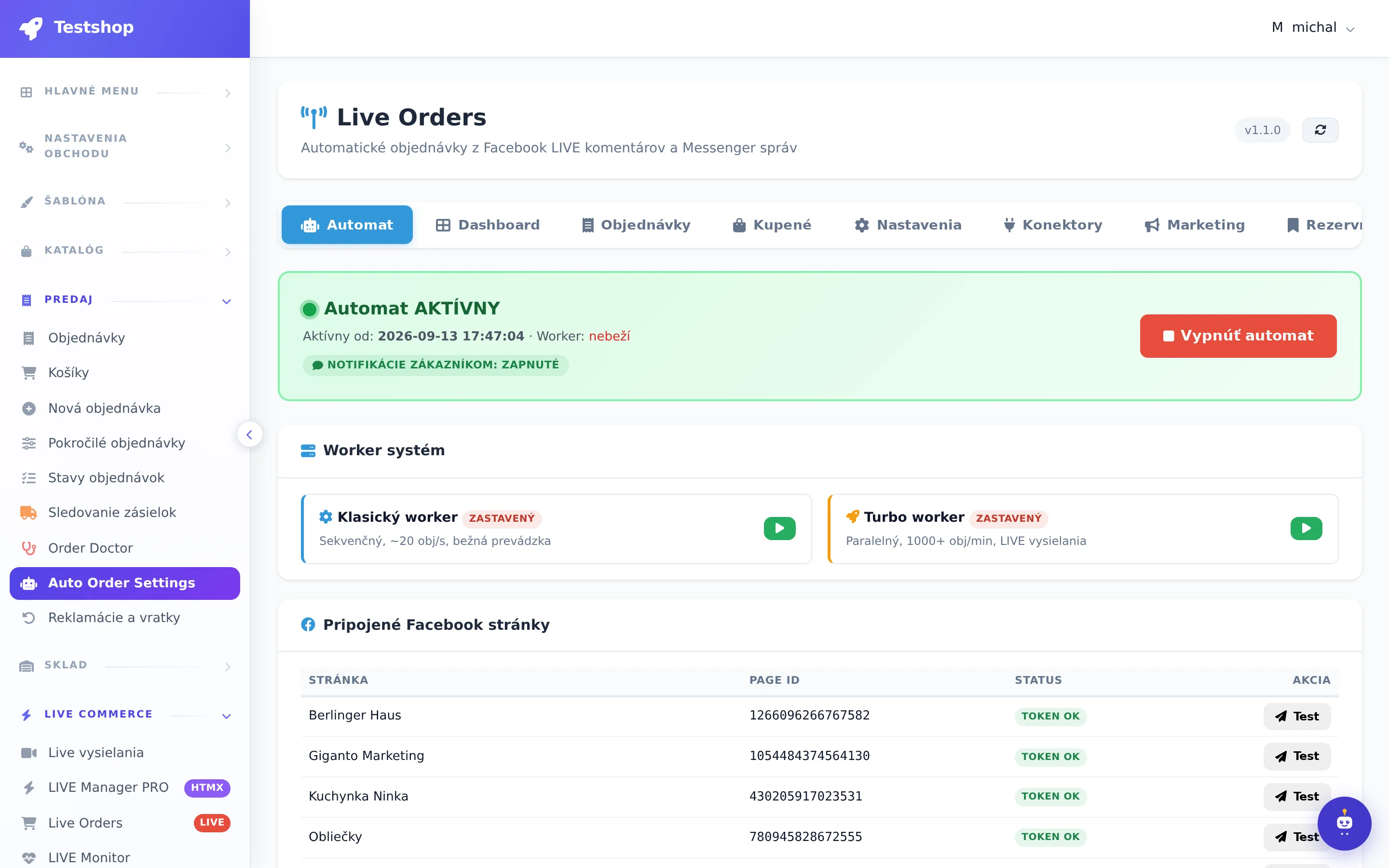
You set how your codes look and what is sent to the customer. Turbo worker processes thousands of comments in parallel, classic worker is enough for regular broadcasting.
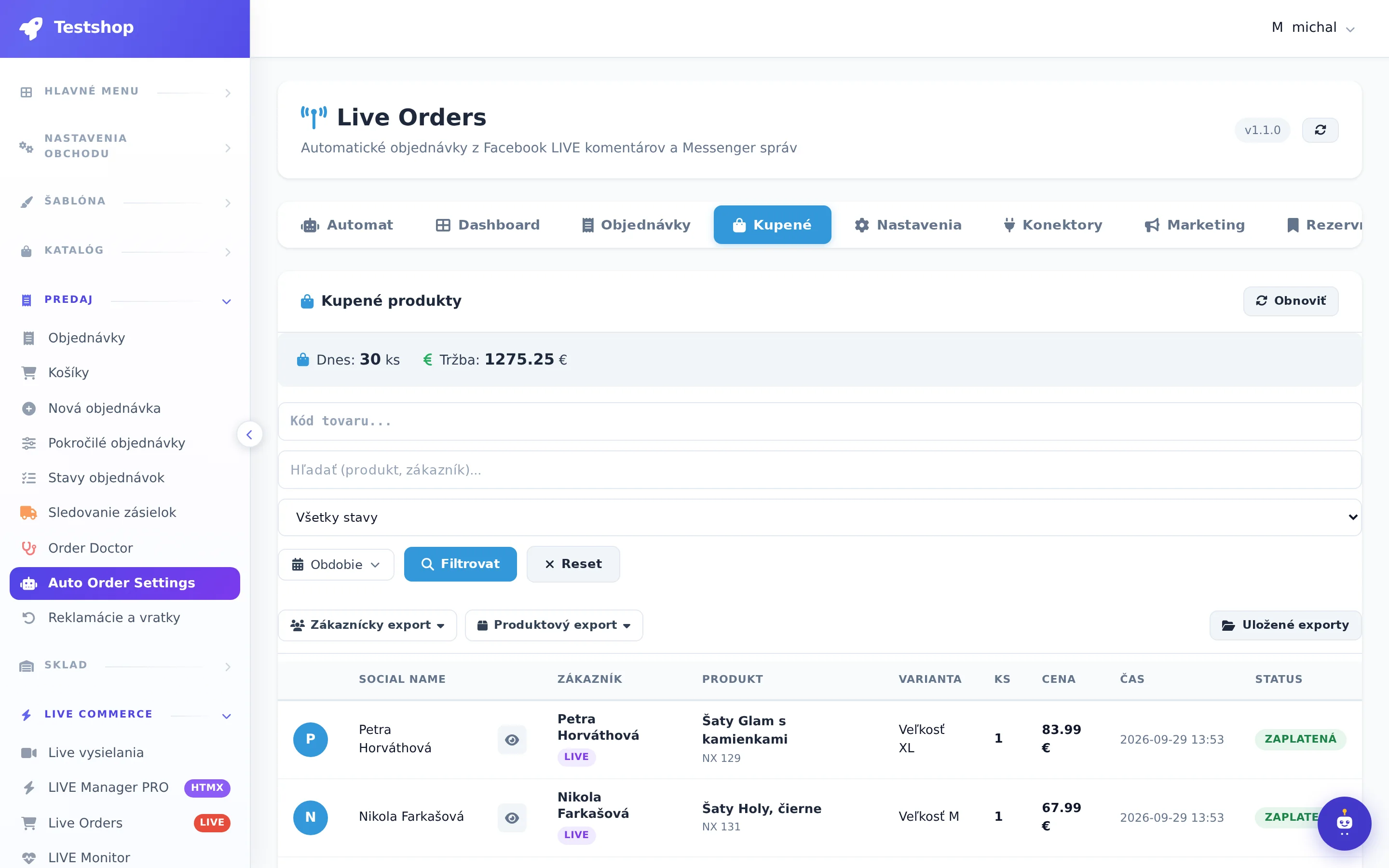
Immediately after the broadcast, you know which piece went the most, who didn't pay, and who is missing an address. From here, you can send a comment or summary with one click.
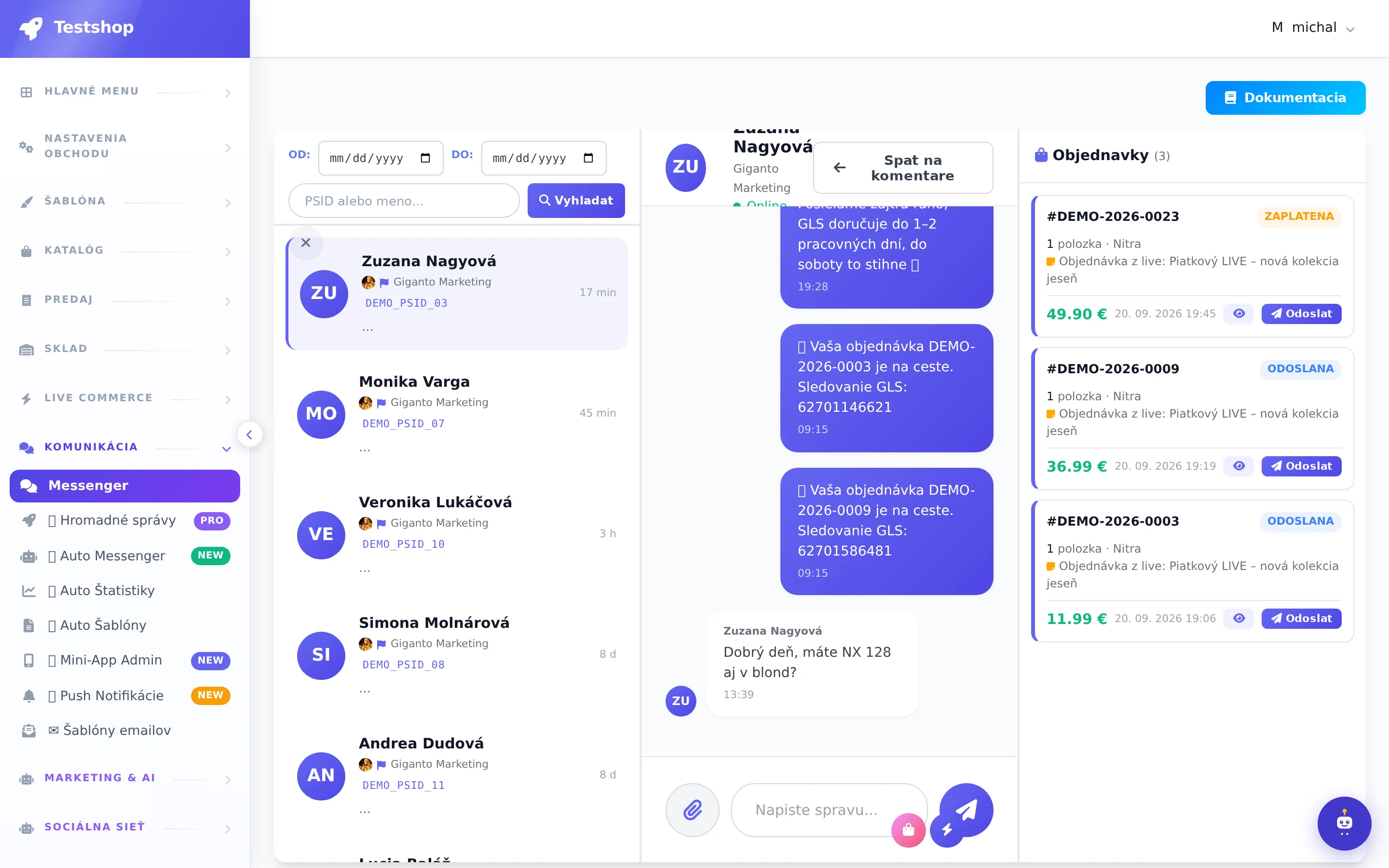
Each conversation includes the customer's orders, address, and phone number. You can respond from one place for both Facebook and Instagram.
7 days free. Connecting Facebook takes a minute.