How to start selling via Facebook Live in one afternoon
From setting up a store to your first broadcast with automatic orders. A specific procedure, what to prepare and what to avoid for your first live.
Facebook · Instagram · YouTube · TikTok · Messenger · NexusLive custom stream · one administration
Broadcast on Facebook, Instagram, YouTube or TikTok as before, or from your own NexusLive stream with a cart directly in the player. The customer writes the purchase code with your prefix under the live, under the post or in a message, or adds the product to the cart. The order is created in your e-shop, the stock is deducted, the customer pays and sees everything in their account.
No credit card required. Cancel anytime.
Sobotný LIVE výpredaj
NEXUS 120Kabát Nora, béžová (M) · 49,90 €. Kliknite a dokončite platbu a doručenie.
Dokončiť objednávkuFacebook · Instagram · YouTube · TikTok · Messenger · NexusLive · your e-shop
You don't have to change the platform or teach customers anything new. You set your own code prefix (for example, NEXUS) and the customer just needs to write the purchase code under the live, under the post or in a message. In addition, on their own NexusLive stream, they shop through the cart and checkout like on an e-shop. All orders from all channels converge in one administration.
You launch a live on your Facebook page as you are used to. NexusShop is connected to the page, reads comments under live and regular posts and messages in Messenger. When a customer writes a purchase code with your prefix, for example "NEXUS 120 M", within a few seconds they have the order in your e-shop and in Messenger a summary with a payment link.
The same system listens to comments under Instagram live and messages under posts in Instagram Direct. The customer writes the purchase code and the order is created just like from Facebook. They receive a link to complete the order in a message, without leaving the app.
On YouTube, you broadcast solo from your channel or via restream, and the system processes purchase codes from YouTube chat in the same way as from Facebook. On TikTok, you broadcast via restream from NexusLive. Viewers purchase via a link to your live on the e-shop with a cart or code in the message, and the order ends in the same system.
NexusLive runs on your e-shop and restreams from it to all networks at once. The customer clicks on the product in the video, chooses a variant (size, color), adds it to the cart and sees everything they ordered in the cart. Then they go to the checkout and complete the purchase exactly like in the e-shop: address, shipping, payment. It is a full-fledged e-shop order, not a chat message.
Each recording remains on the e-shop as a shopping video: the products are on the timeline at the exact moment you showed them. A customer who missed the live broadcast can watch it in the evening and purchase it just as conveniently via the shopping cart. The system will cut out clips for individual products from the long recording.
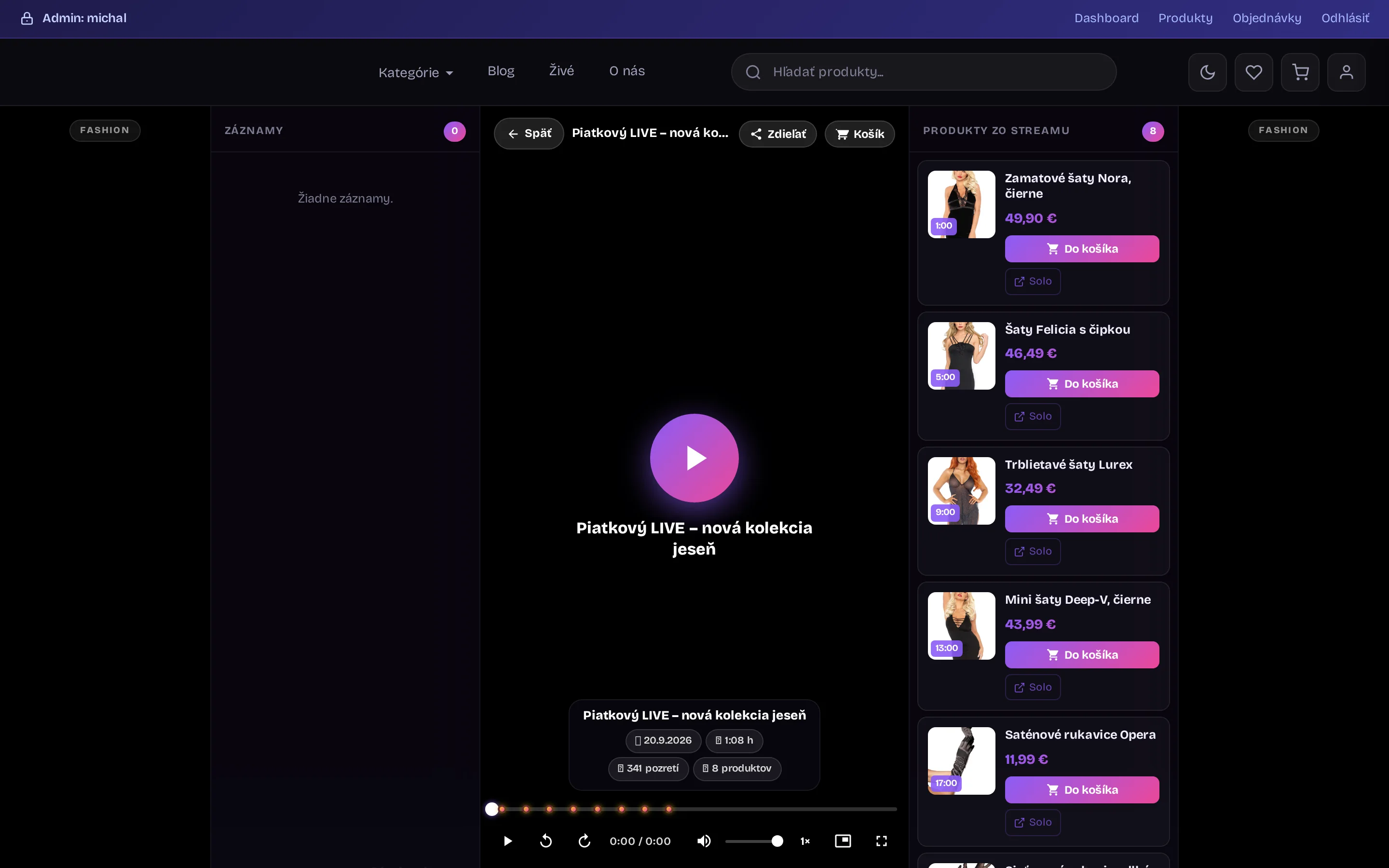
Actual footage comes from NexusShop seller broadcasts and a test store. Names and orders in the previews are for demonstration purposes only.
Broadcast anywhere. Orders converge in your e-shop.
Live sales
During the broadcast, you show the product and its code. Everything else happens automatically: code and variant recognition, customer and order creation, stock deduction, message to Messenger with a payment link and address form.
Real screens, not drawings
The images are from the real NexusShop administration. Click on a step or scroll - the screen on the right changes.
The moderator sees every comment in real time. A comment with a code is marked as an order, a customer without an address has a red label and a single button to submit the form.
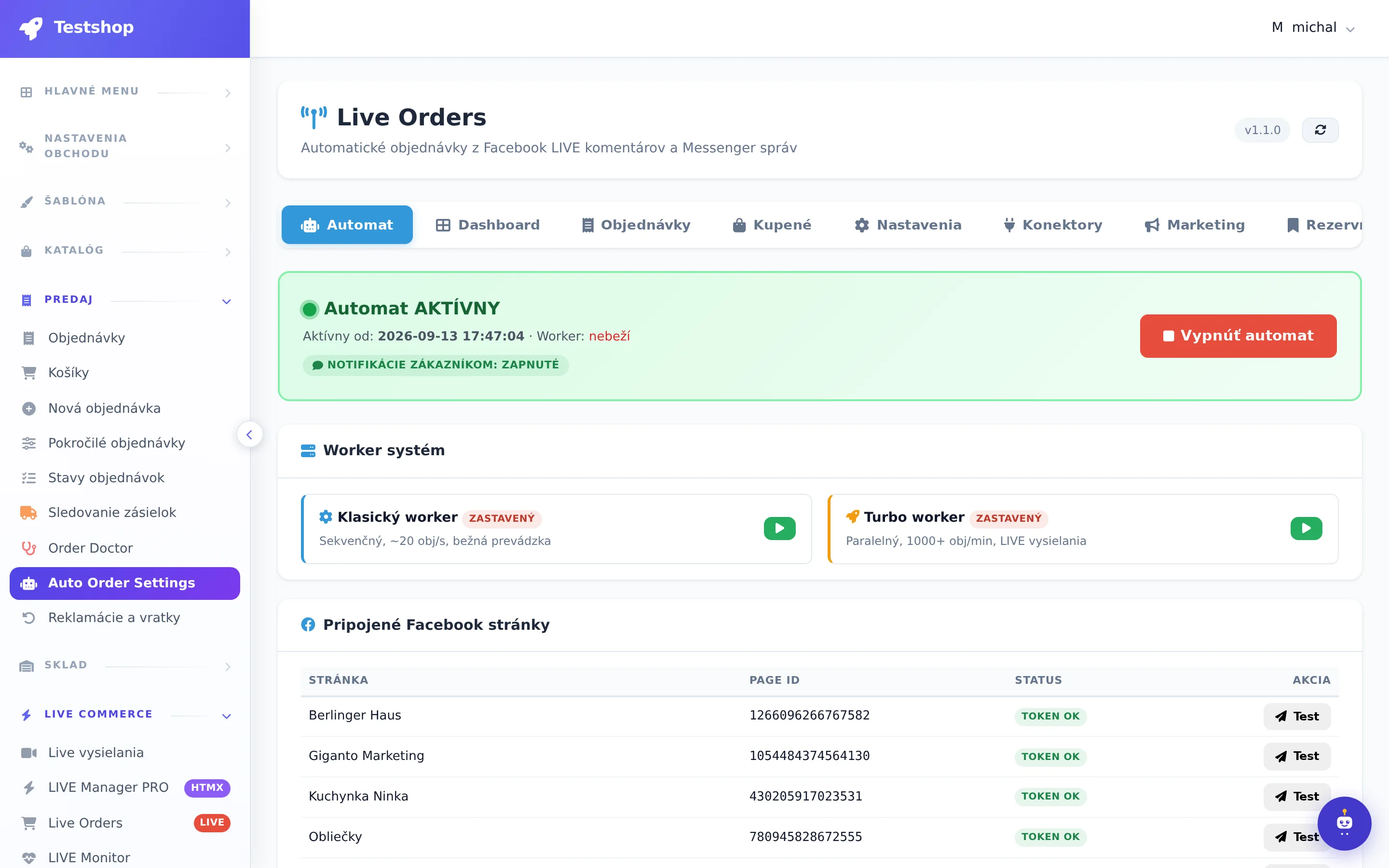
You set how your codes look and what is sent to the customer. Turbo worker processes thousands of comments in parallel, classic worker is enough for regular broadcasting.
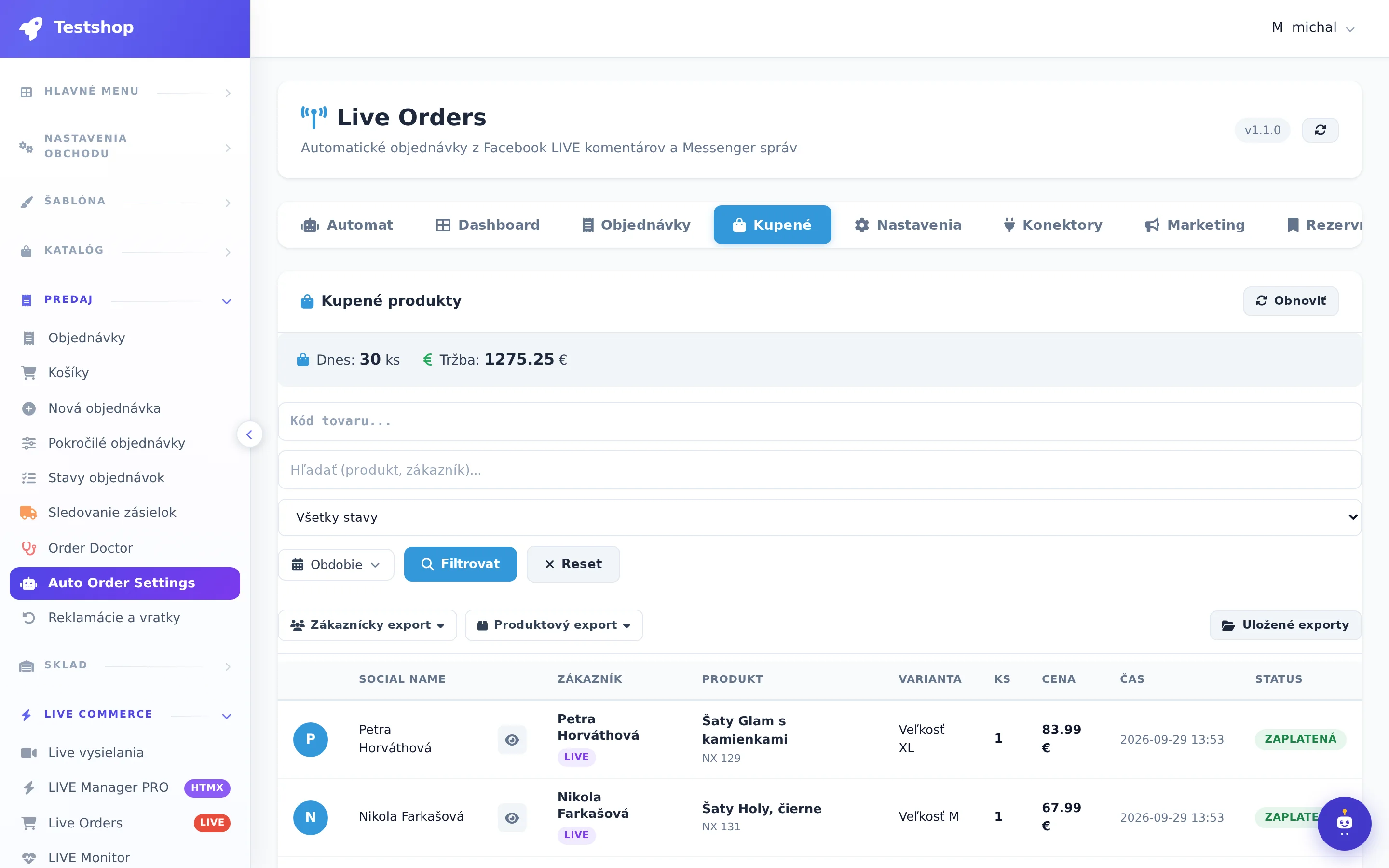
Immediately after the broadcast, you know which piece went the most, who didn't pay, and who is missing an address. From here, you can send a comment or summary with one click.
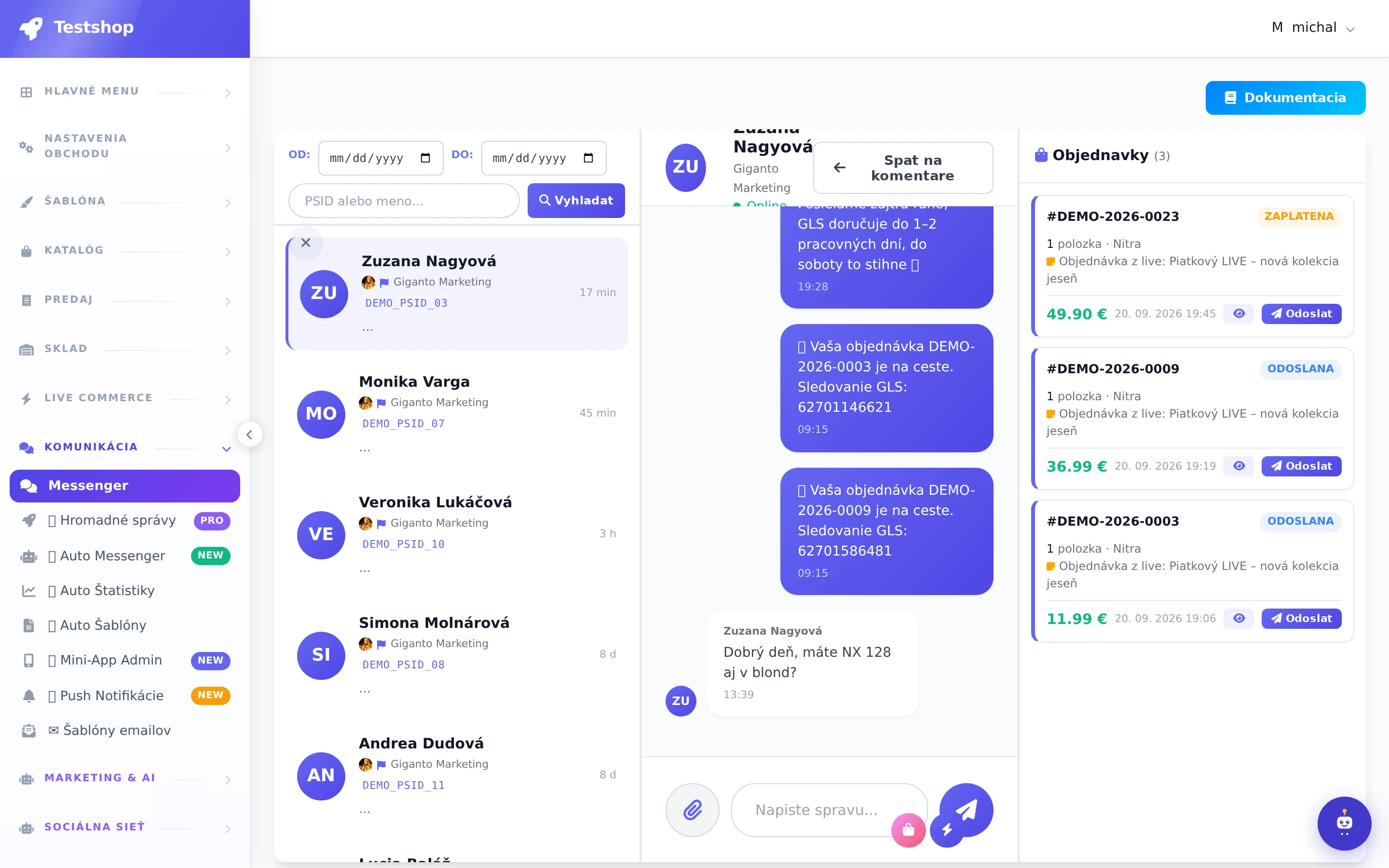
Each conversation includes the customer's orders, address, and phone number. You can respond from one place for both Facebook and Instagram.
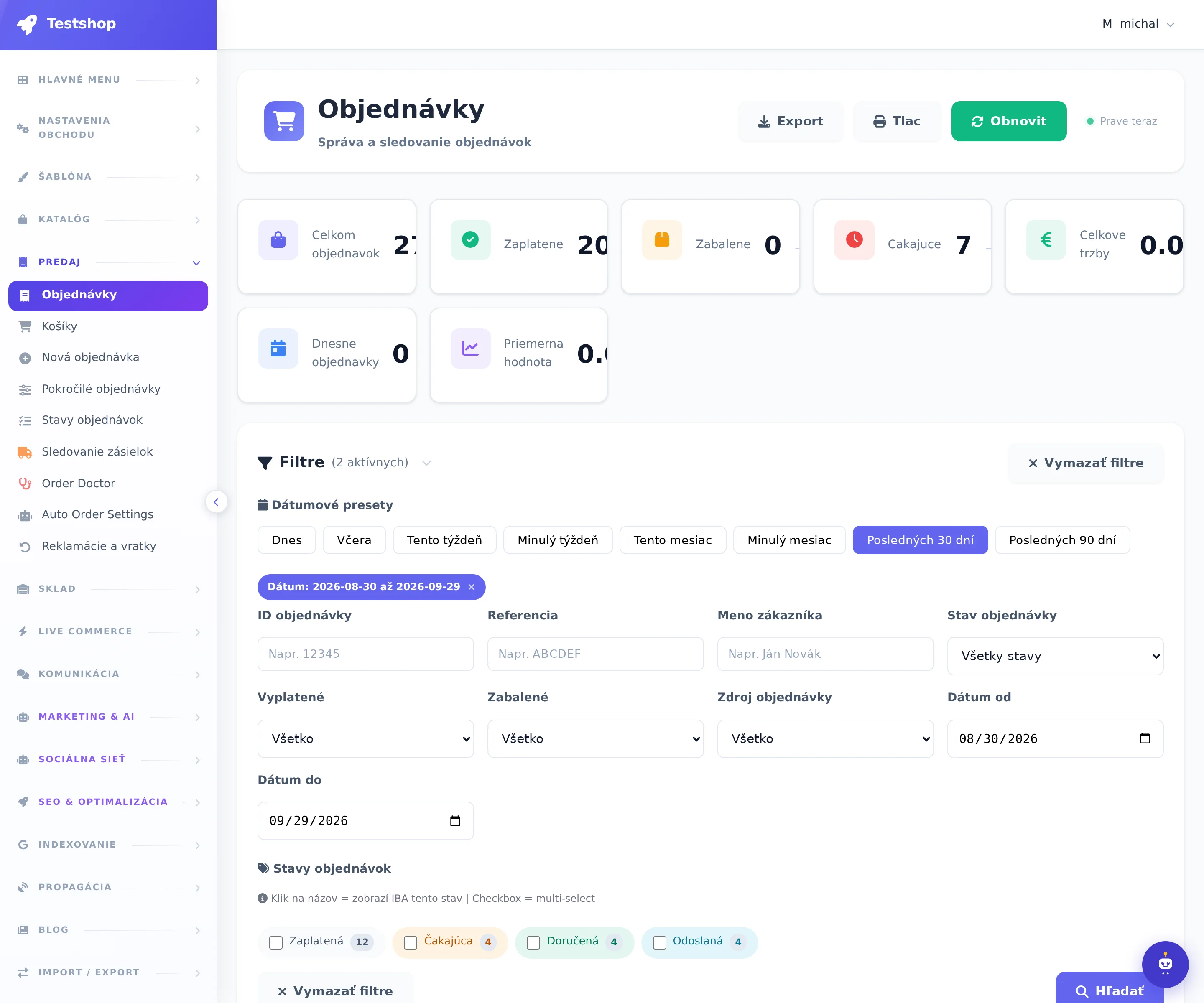
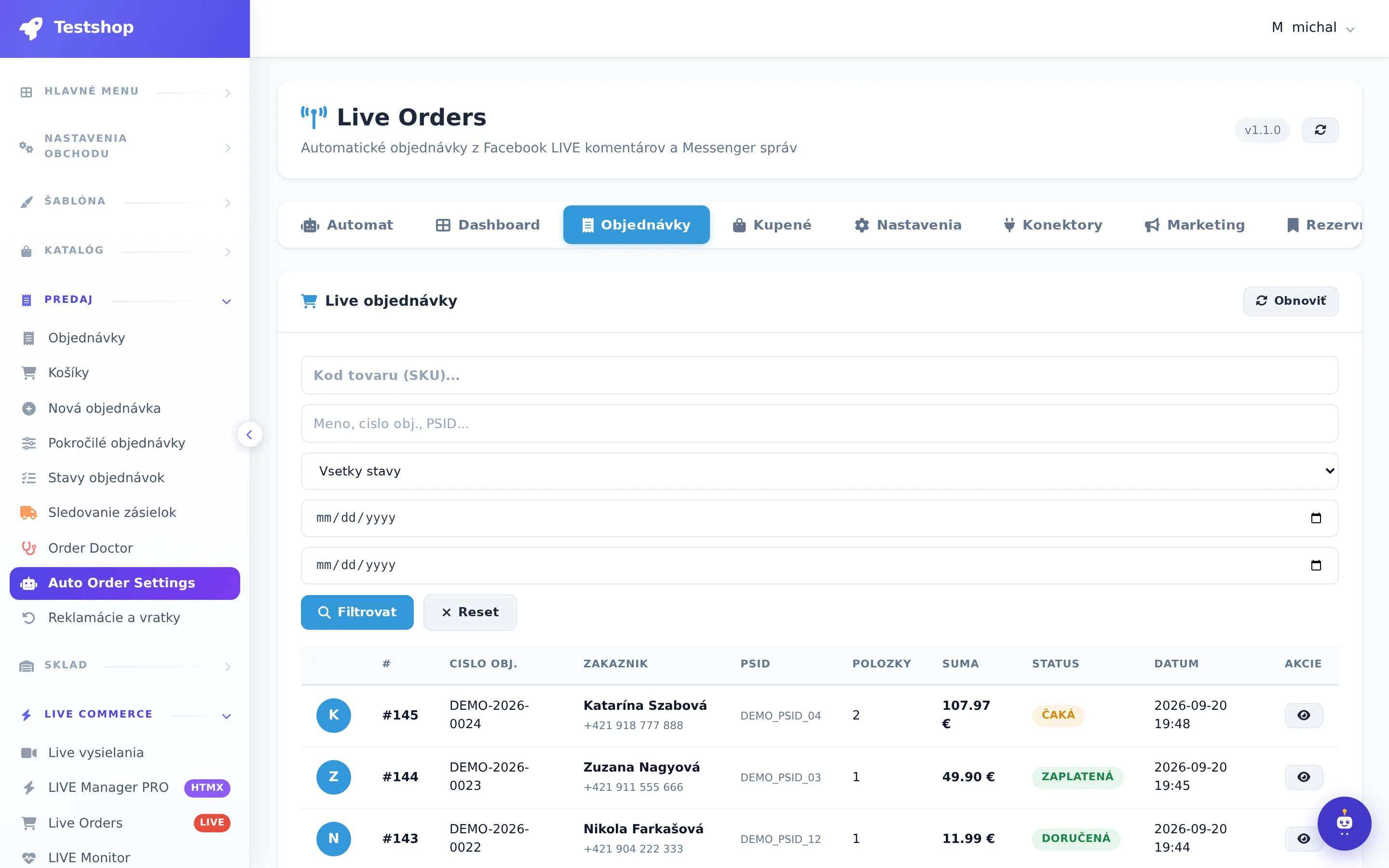
Source Facebook, Instagram, YouTube, Messenger, NexusLive or e-shop, payment status, shipping, invoice and GLS label. Filters by broadcast will show you what a specific live brought.
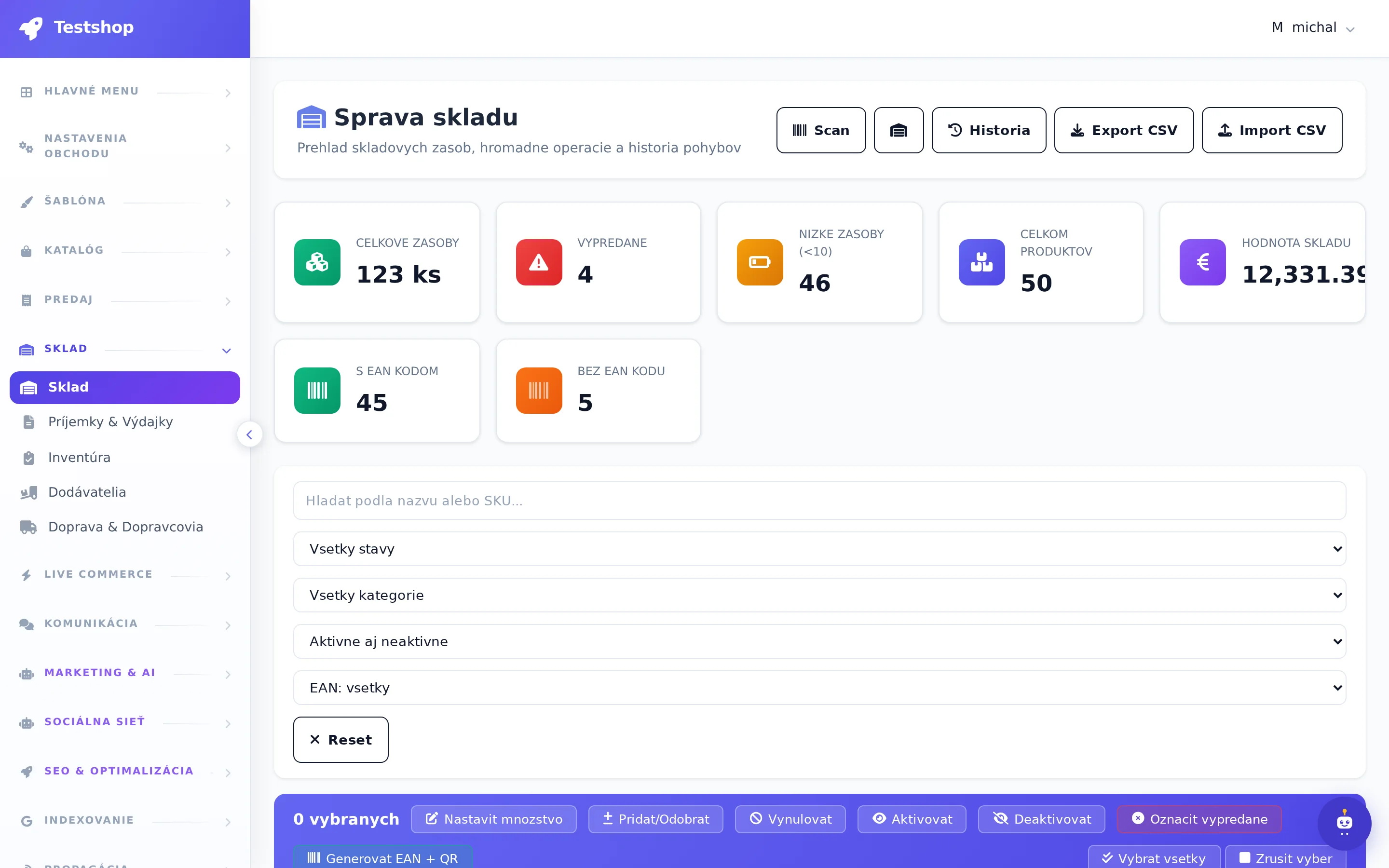
Variants, reservations when sold out, receipts and issues. When the stock is 0, the system places the customer on the reserve list and notifies them.
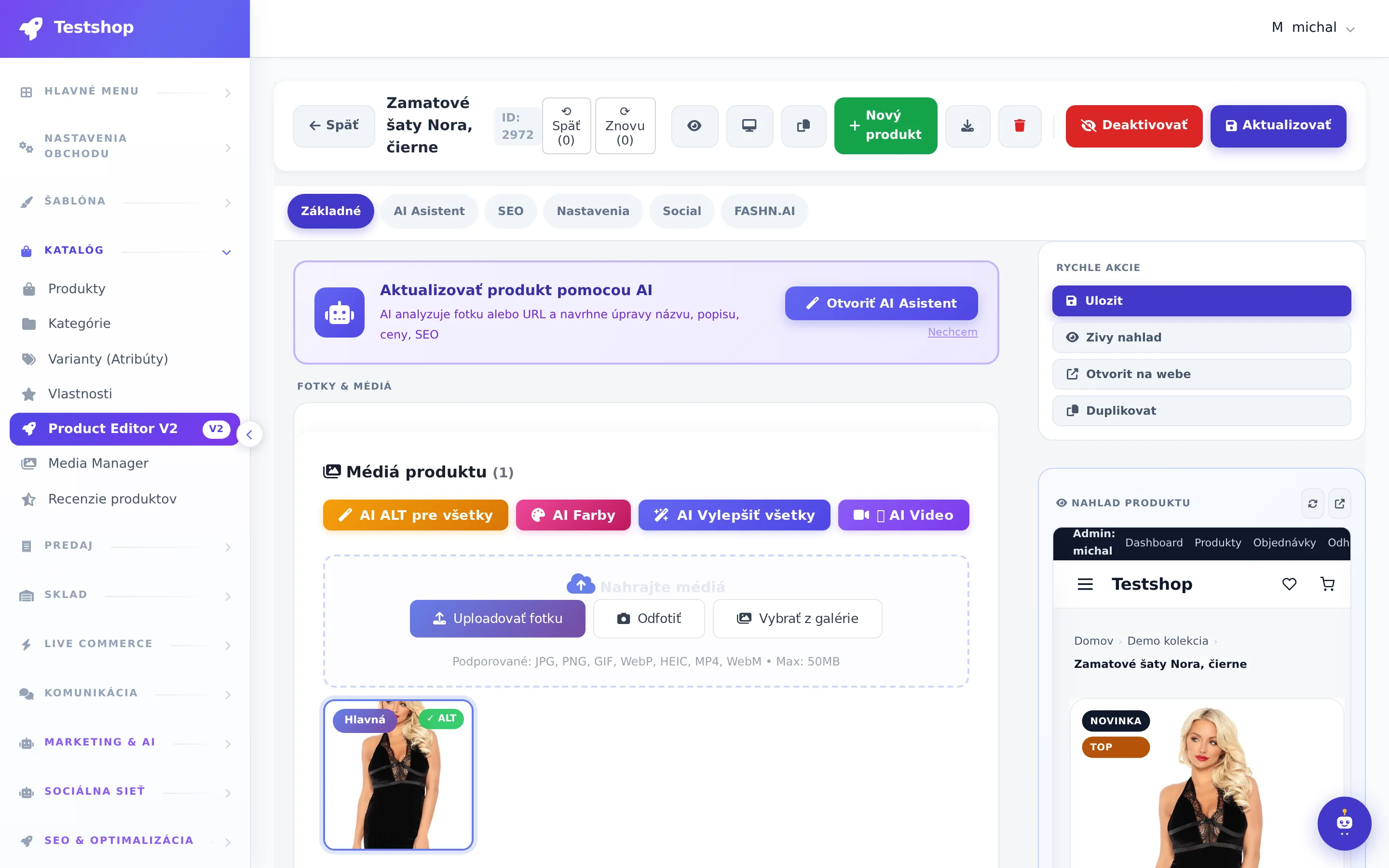
From a photo, EAN or link, the title, description, variants and code for live are created. FASHN.AI will dress your pieces on the model. The product is ready to go live in a minute.
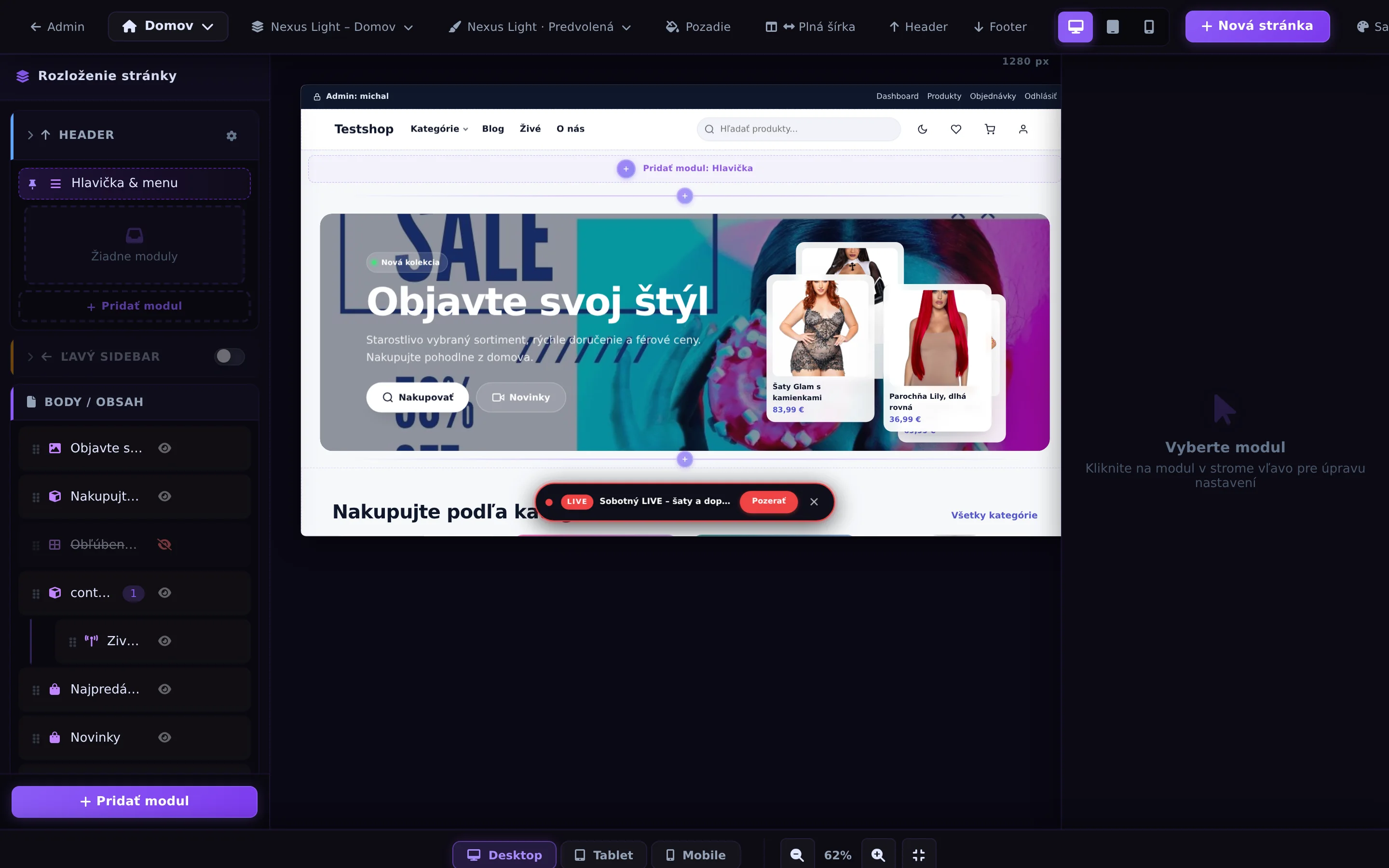
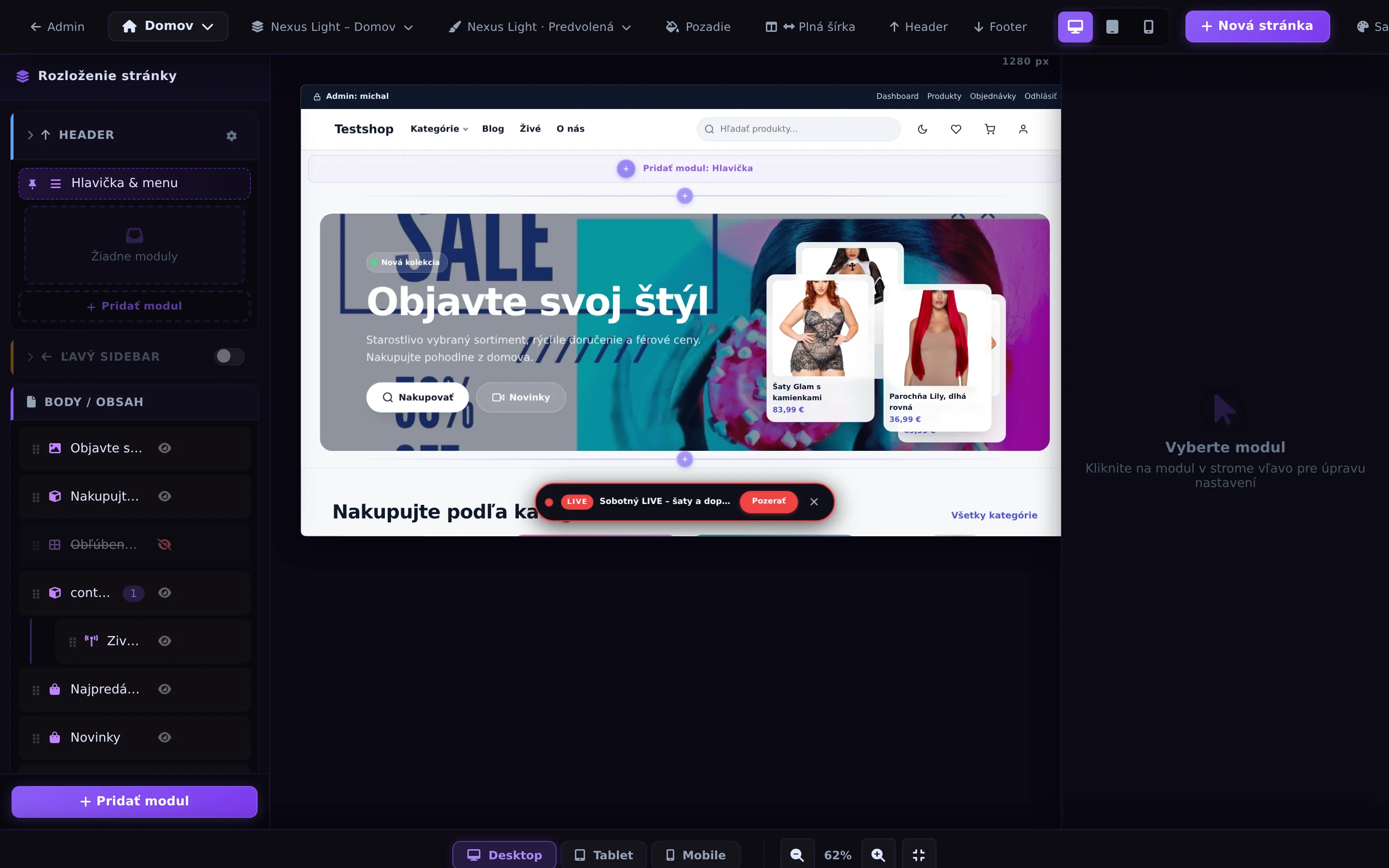
You drag and drop sections, colors, and blocks. Live player, recordings, and product videos are ready-made sections of the theme.
Whether the customer ordered via a code under Facebook Live, via an Instagram message, or via a cart on NexusLive, everything converges in their account on your e-shop. After logging in, they can see their orders and their status, download invoices, track their package via the carrier's link, and manage addresses. They don't have to fill out anything again the next time they make a purchase.
They don't have to search for anything or copy anything anywhere. They type the code where they are watching or click on the cart next to the video. They complete the payment and address on one link and know when the package will arrive. Shopping live is just as reliable for them as in a regular e-shop.
You get a full-fledged e-shop with orders from Facebook, Instagram, YouTube, Messenger, NexusLive and regular online shopping in one list. One warehouse that counts itself, invoices and carrier labels with one click, Messenger inbox with the customer and their orders side by side, statistics for each broadcast. You don't write anything down, you don't keep anything in tables.
All at once
Seven areas, 25 detailed pages. Click on anything and see exactly what it contains, tab by tab.
Comment → order, LIVE Manager PRO, DOMINO, own studio
Messenger machine, inbox with orders, customers with PSID
AI product creation, V2 editor, import and export
Own e-shop, template editor, languages
Orders, invoices, warehouse, shipping, GLS
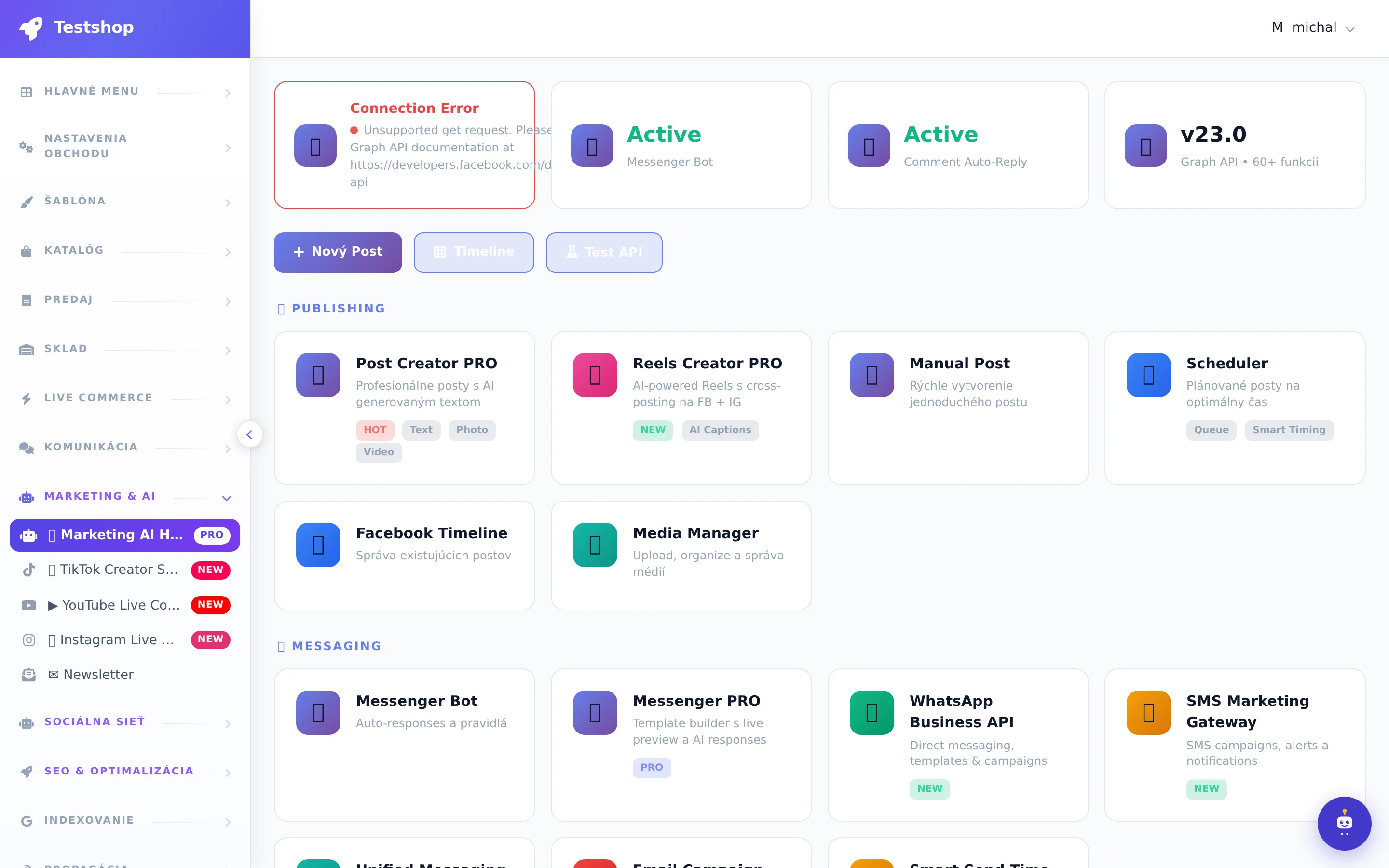
Marketing AI Hub, Social Commerce, recordings, clips, SEO
Rental, hosting, administration map
Who built it?
The entire system was designed by our chief software engineer. It wasn't created in an office at a desk: for years he stood directly next to sellers during live broadcasts, going through every step from commentary through warehouse and packaging to complaints. He designed each module and each line of code according to what sellers really need, not according to theory. That's why the system solves things that regular e-shops don't even think about.
One system, the whole business
It's not just a live tool. It's a complete e-shop that we rent out with hosting, updates, and support.
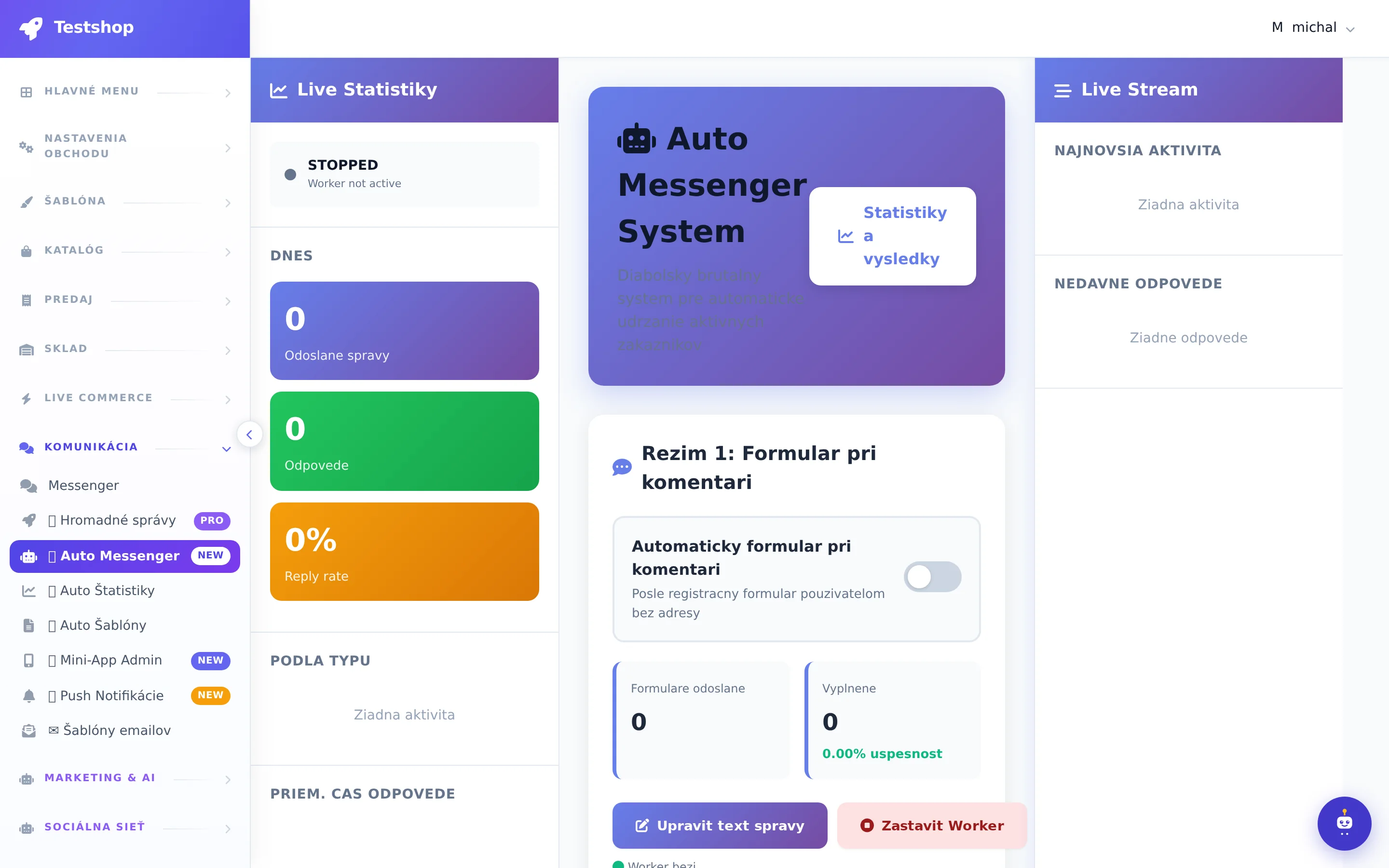
Facebook and Instagram live. Turbo Automat, reservations, automatic responses and address form directly in the conversation.
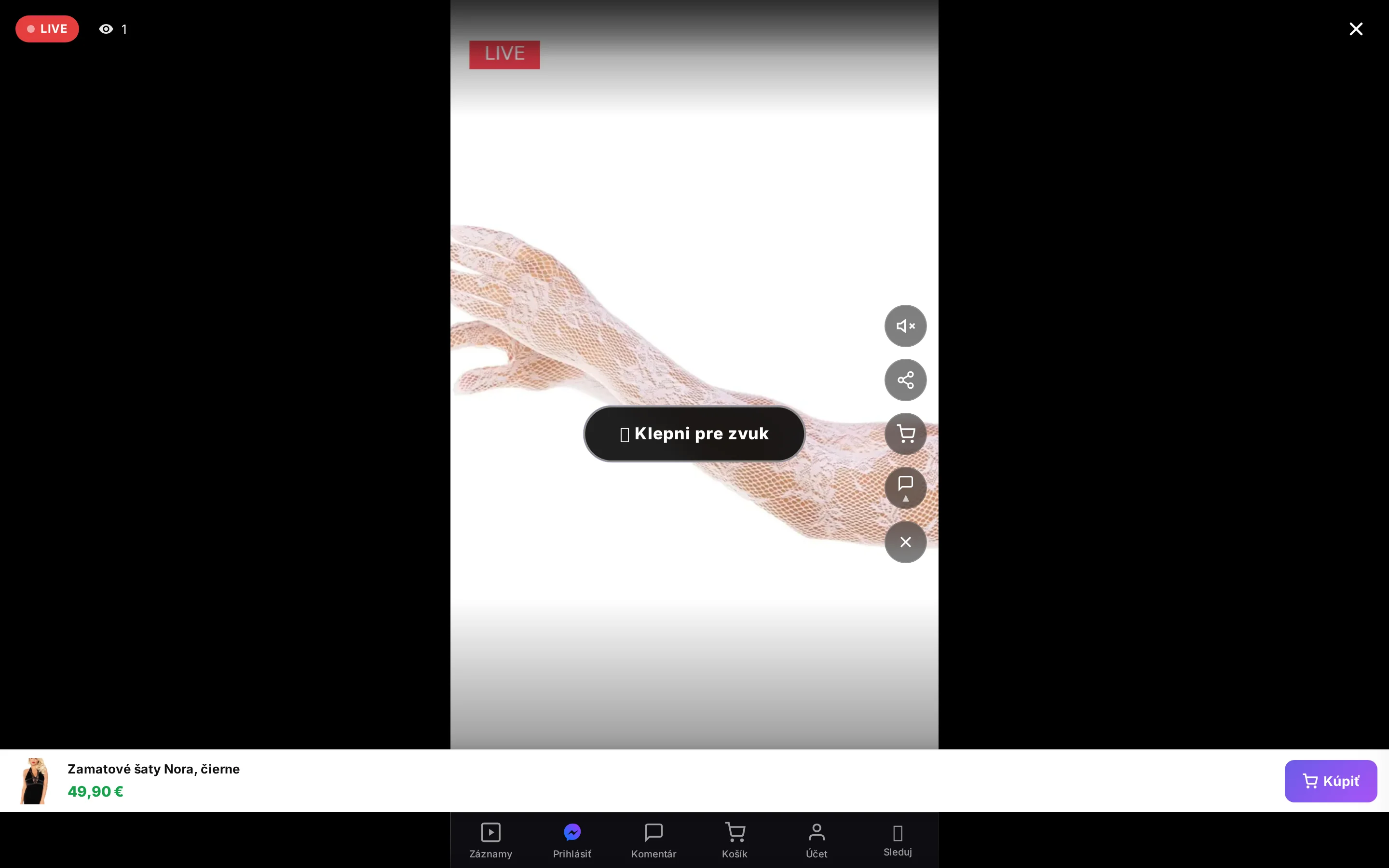
The customer watches the stream on your page, sees the pinned product, selects a variant and adds it to the cart without leaving your e-shop.
Order confirmations, a link to the checkout page, address collection, bulk campaigns with delivery tracking, and a post-live recording message.
Visual page editor, ready-made blocks and templates, skins, quick product preview, wishlist, reviews, blog, CMS pages and menus. All without code.
Variants, bulk edits, receipts and expenses, inventory, suppliers, GLS courier, shipment tracking, invoices in PDF and SuperInvoice, Stripe and cash on delivery.
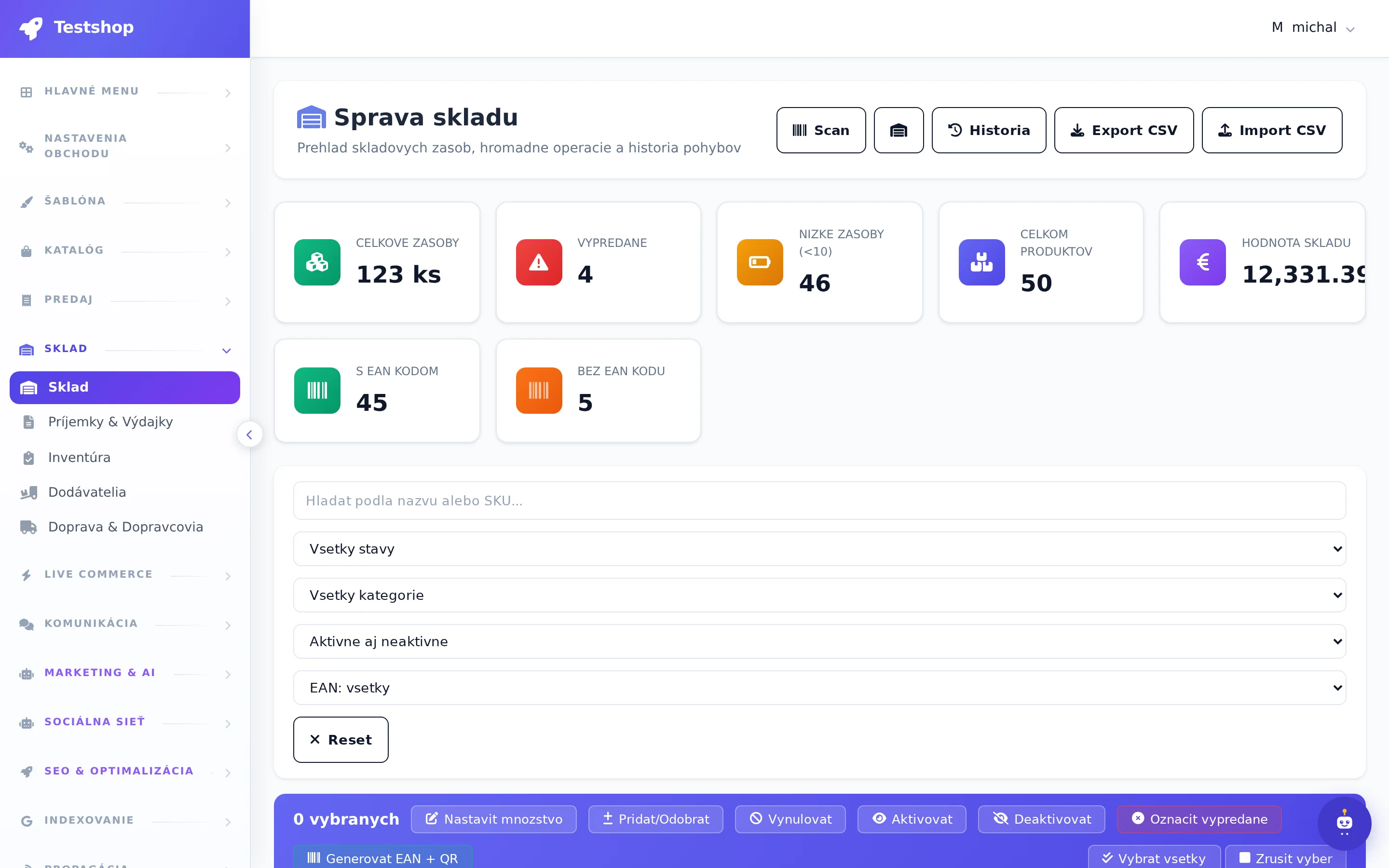
Description and campaign generation, post planner, coupons, newsletter, SMS and push, SEO audit, sitemap, Google positions, feeds for Heureka, Glami and Google Shopping.
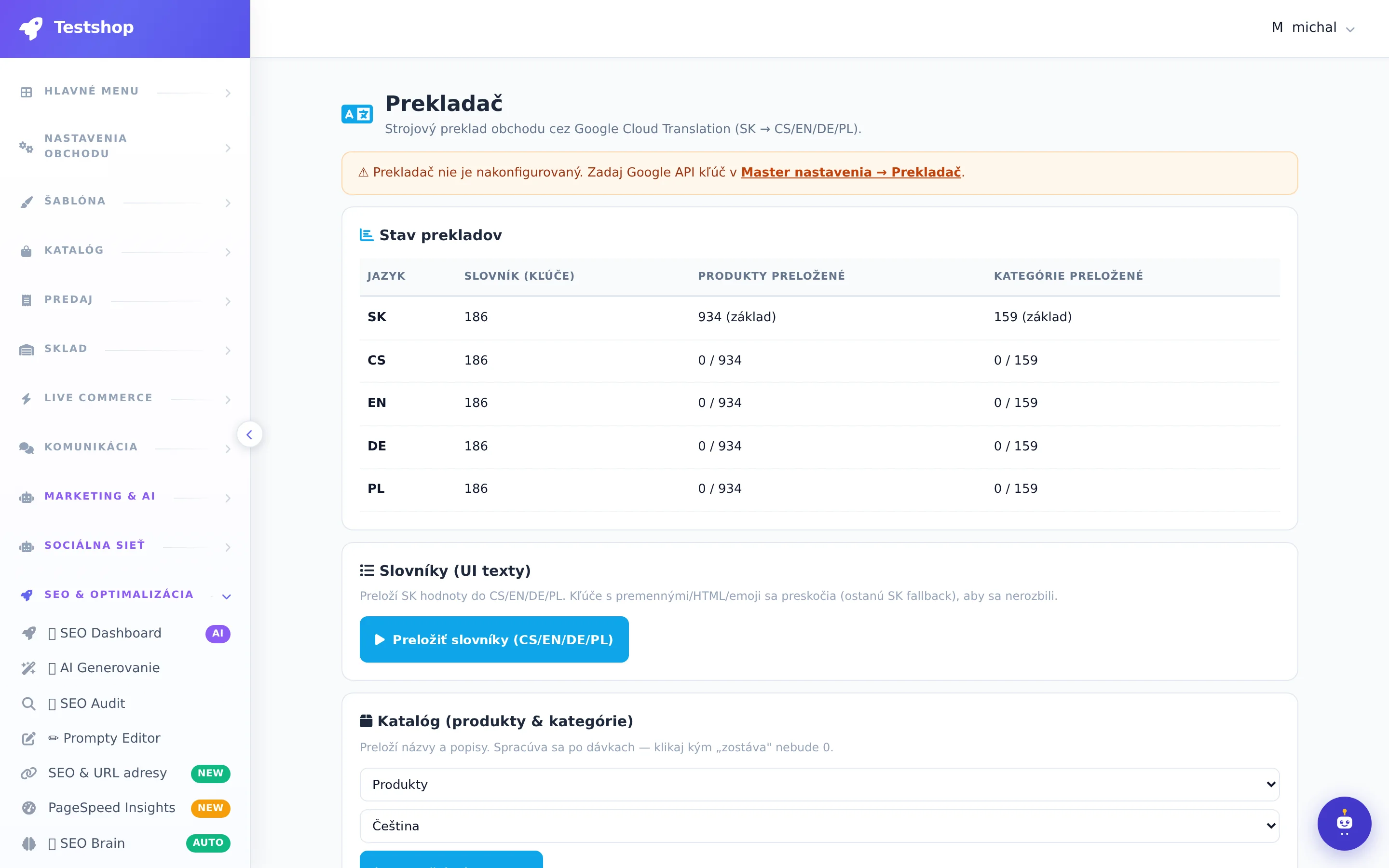
Language versions of the e-shop, hreflang and sitemap for each language, currencies and taxes by country. The catalog will be translated by a translator for a prepaid credit, manual edits will be preserved.
You don't install anything. You get a store address within a minute, your own domain, daily backups, monitoring, system updates, and a Nexík assistant directly in the administration.
Moderator dashboard: each comment with 13 actions (order, summary, form, Messenger, pin, ban…), customer history, 17 dashboard modules. Below that, Live Orders with 9 tabs and Turbo pool.
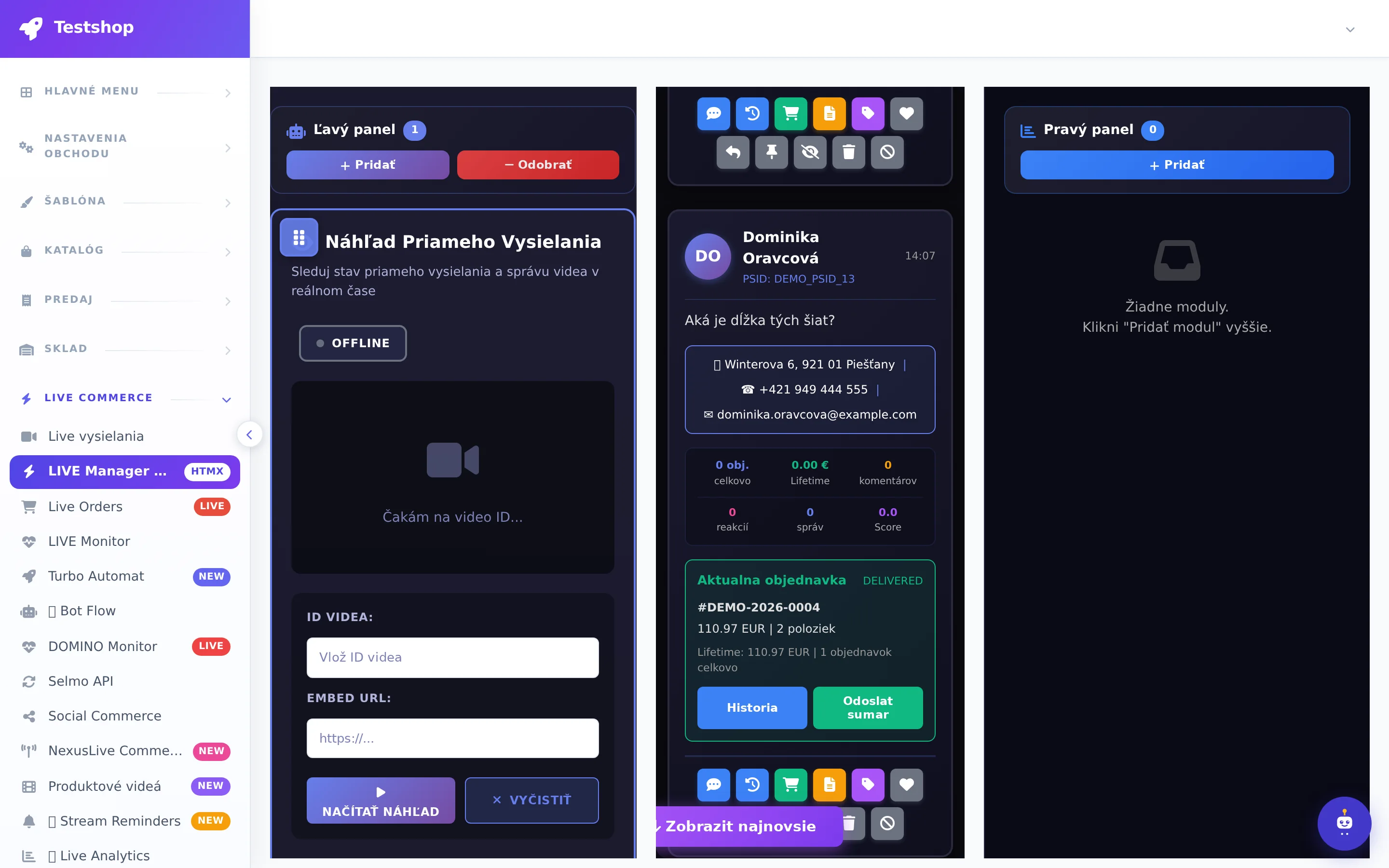
AI recognizes the product in the photo, writes the name and description, suggests variants and creates the product with codes for live. Barcode, supplier URL, Facebook post. FASHN.AI: virtual fitting, AI models, photo → video.
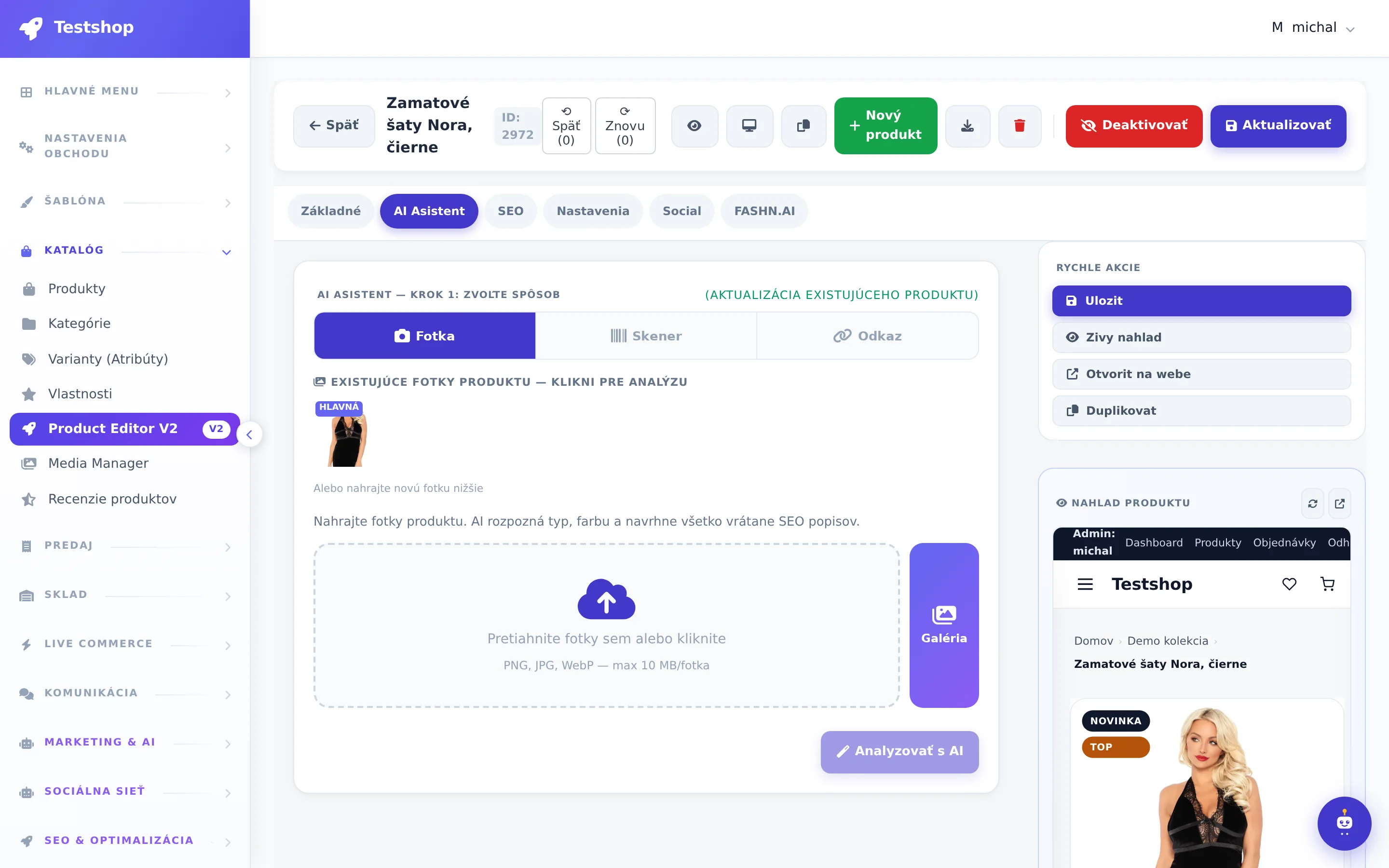
The /live link, video title and hashtags, the automaton, Messenger messages, and AI posts will run on their own. After the end, everything is cleaned up and the video is a record.
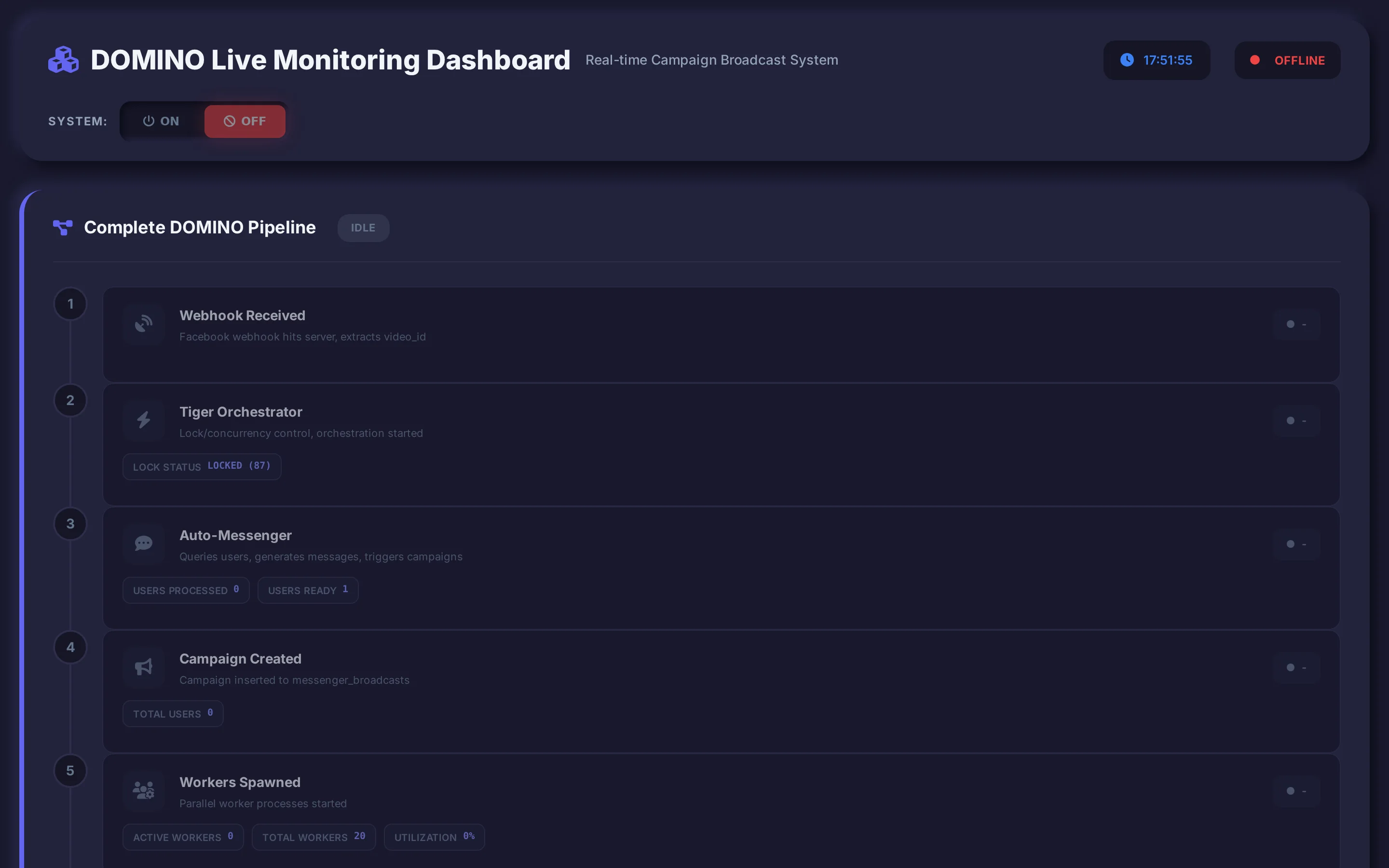
4-step wizard, saved mappings, images from URL, auto categories, history and rollback. Export with profiles, bulk editing with preview, Google, Heureka, Glami, Facebook feeds.
Purchase while live on your website
Facebook will show you the comments, but it will keep the customer. NexusShop's live player runs directly on your e-shop: the product currently being presented is highlighted under the video, the customer selects a variant and adds it to the cart with one click. They pay once, at the end.
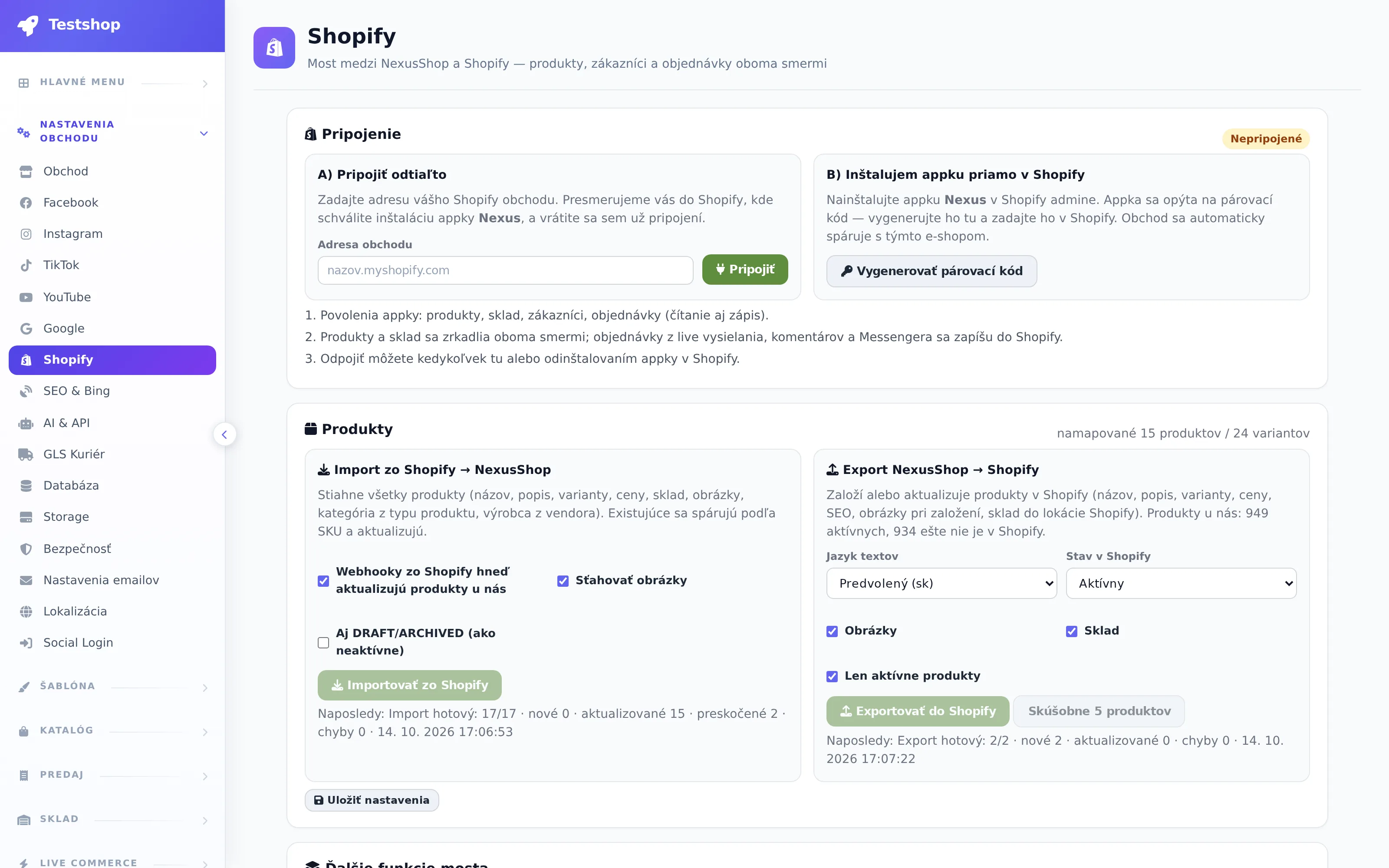
Máte obchod na Shopify?
Nemusíte sťahovať obchod ani spravovať dva katalógy. Nainštalujete appku Nexus v Shopify alebo zadáte adresu obchodu v administrácii NexusShop a obchody sa spárujú. Produkty, varianty, ceny, sklad aj fotografie sa prenesú jedným kliknutím a každú zmenu v Shopify dostane NexusShop do minúty. Live predaj z komentárov a Messengera tak môžete spustiť nad svojím doterajším sortimentom.
Administration in depth
Catalog, template editor, orders, warehouse, LIVE Commerce, Messenger, Marketing & AI, SEO, blog, indexing, promotion, import/export, finance, billing, settings and employees with rights. We have broken down each section tab by tab.
No installation required. You can have your first live broadcast with automatic orders today.
Registration takes a minute. You will receive your own store address and administration with a pre-prepared template.
Connect Facebook, Instagram, and YouTube with a single login. Choose a purchase code prefix, such as NEXUS, and the system will start reading comments and messages.
Manually, by importing from Excel or from a feed. Each product receives a code that customers write in the comments.
Orders, inventory, Messenger messages, invoices, and labels are handled automatically. You focus on your customers.
Comparison of a typical workflow with a spreadsheet and Messenger versus NexusShop.
| Step after broadcasting | Manual / table | NexusShop |
|---|---|---|
| Transcribing comments into orders | 2 to 4 hours after each live | immediately during the broadcast |
| Reply to customer with price and payment | manually, for each person separately | yes |
| Inventory deduction and reservation of sold out items | no | yes |
| Collecting address and phone number | in reports, often incomplete | Messenger form |
| Invoice, label, shipment tracking | another program | yes |
| Live recording that can be purchased | no | yes |
| Own e-shop where customers can shop between broadcasts | no | yes |
| Sales in multiple languages and countries | no | yes |
Times are approximate and based on the experience of sellers who have switched from manual processing.
Industries
It works best where the product is worth showing on camera and where it is sold in variants.
Live fashion sales: size and color codes, stock on variants, reservations for sold out items, recordings and product videos. Own e-shop for shopping between broadcasts.
Read moreCosmetics and skincare live: product demos, sets and coupons, repeat purchases via Messenger, reviews and newsletter.
Read moreLive food and drinks: batch pre-orders, unit limits, zoned delivery, cash on delivery and transfer, reminders before the next broadcast.
Read moreDecorations, kitchen, garden, handicrafts: live demonstration, sets, large catalog with imports, feeds for Heureka and Google Shopping.
Read moreSports, fitness and nutrition live: flavor and size variations, repeat purchases, competitions and community in Messenger, product videos.
Read moreDiscreet shipping and payments, age verification, multilingual catalog with supplier import, SEO for EU markets, automatic translations.
Read moreWhy all in one?
Live apps for Shopify, American comment systems or players for big brands – each of them needs another e-shop, another invoicing or another subscription. Here it's all in one rental.
| NexusShop | Selmo | CommentSold | Channelize | Bamboo | Shopify + live apps | |
|---|---|---|---|---|---|---|
| Orders from Facebook and Instagram comments | well | well | party | |||
| Code also via Messenger / Instagram DM | party | well | well | party | ||
| Address and payment from Messenger (form in chat) | well | well | party | |||
| Turbo processing of thousands of comments in parallelbuilt for large broadcasts | does not state | does not state | well | well | does not state | |
| Own e-shop includednot as a supplement to another e-shop | party | well | well | party | ||
| Live player with shopping cart on your own websitekomentáre, správy aj košík v prehrávači | does not state | party | ||||
| Purchase records from live on the e-shopnie ako doplnok k inému e-shopu | does not state | party | party | |||
| Warehouse, invoices and GLS labels in the same system | well | well | party | |||
| 10 EU languages, VAT according to customer's country | party | well | does not state | party | party | |
| AI product creation from photo, AI marketingzo záznamu live, bez ručného strihu | does not state | does not state | well | well | party | |
| Hosting, updates and support included | party | |||||
| Turnover fee | 0% of turnover | 3% of orders | 3–5% + flat rate | extra minutes of viewing | $0.25 per additional view | according to the app |
| Built for | EU, SK/CZ support | PL, US, UK, FR, PT, IT | USA | big brands | big brands | Shopify stores |
| Hosting, aktualizácie a podpora v cene | ||||||
| Cena a poplatkyorientačne, podľa verejných listingov | od 29 €/mes., 0 % z obratu | od 89 $/mes. (Shopify) | od 149 $/mes., Videeo ~5 % z predaja | podľa minút sledovania | od 199 $/mes., limity zhliadnutí | podľa appky |
| Postavené pre | EÚ, SK/CZ podpora | PL, US, UK, FR, PT, IT | USA | veľké značky | veľké značky | Shopify obchody |
yes partially / via a supplement no · data from public websites and manufacturers' price lists as of September 29, 2026, may vary by region and package
We don't claim that we are the only ones who know the order from the comment. We claim that with us you don't need another e-shop, another invoicing, or another subscription.
Try 7 days free. No credit card required. Cancel anytime.
29 €/ month
79 €/ month
Na mieru
I used to spend two hours transcribing comments after every broadcast. Now I have my orders ready before I turn off the camera.
Messenger checkout has doubled the number of completed purchases. Customers don't have to search for anything.
Finally, one system for everything: warehouse, invoices, shipping, and marketing. It saves me an entire day's work.
Blog
How to get started, how to set up product codes, and what to do after the broadcast is over.
From setting up a store to your first broadcast with automatic orders. A specific procedure, what to prepare and what to avoid for your first live.
Prenájom eshopu s tovarom nie je kúpa hotového biznisu. V NexusShop si prenajímate platformu a tovar si dodávate sami. Ukážeme vám, ako postupovať krok za krokom.
Praktický hodinový plán, ako z prázdneho účtu NexusShop za jeden deň poskladáte funkčný e-shop s katalógom, platbami, skladom aj prvým live predajom. Bez programátora a bez zbytočného čakania.
If you can't find the answer here, write to us. We will respond within 24 hours on weekdays.
It is a rented e-shop that connects all your sales channels into one system. You broadcast on Facebook, Instagram, YouTube or TikTok as before, or from your own NexusLive stream with a cart directly in the player. The customer writes the purchase code with your prefix under the live, under the post or in a message in Messenger or Instagram Direct, or adds the product to the cart. The order is created in your e-shop, the stock is deducted, the customer pays and sees orders, invoices and package tracking in their account. You have everything in one administration.
No. You can broadcast solo on your channels as you are used to, and orders from comments and messages are still created in your system. NexusLive is an additional option: a custom stream on your e-shop with a cart and checkout, from which you can restream to Facebook, Instagram, YouTube and TikTok at the same time.
According to the purchase code with a prefix that you set yourself (for example, NEXUS 120). The customer writes the code, or size or color, under live, under a regular post or in a message. The system finds the product and variant, deducts the stock and creates an order. It also recognizes codes without spaces, with lowercase letters or without diacritics.
Like in an e-shop. In the video, he clicks on the product, chooses a variant, puts it in the cart and sees what he ordered in the cart. Then he goes to the checkout, enters the address, selects shipping and pays. A regular e-shop order is created with all the documents.
All your orders, whether you ordered with a Facebook code, an Instagram message, or through your cart. Order and payment status, downloadable invoices, tracking, and saved addresses. No more filling out anything the next time you shop.
No. You create your e-shop by clicking in the template editor, add products via a form or import, and enable live sales by linking your Facebook page. We will go through the initial setup with you during onboarding.
The system deducts stock immediately with each order from all channels. When the last piece is out, additional orders go into reserve and the customer receives a message that you will contact them or that the item is sold out.
Yes. The processing runs in Turbo Automate, which is divided into multiple parallel workers and is guarded by automatic supervision. At the reference seller, more than 1.5 million comments and 61,000 orders from live broadcasts passed through the system.
Yes. The e-shop supports multiple languages and currencies, catalog translations are done by a translator connected to Google Translate for a prepaid credit, and shipping and taxes are set by country.
Seven days completely free, without a credit card and with the full range of features of the Professional package. If you don't continue after the trial, you pay nothing.
You. Orders, customers and content are in your database, which we back up daily. You can export it at any time.
7 days free, no credit card required. We'll walk you through the initial setup.